PSG Support Ends 29 Sep 2026 ! | SFEC Support Ends 30 Nov 2026. Get 1-Year FREE AdaptivePay Subscription. (T&C Apply)

Author name: Adaptivepay

Modern Payroll Compliance Office Dashboard
Employment & MOM Guidelines

Salary Deductions in Singapore: What Employers Can and Cannot Deduct

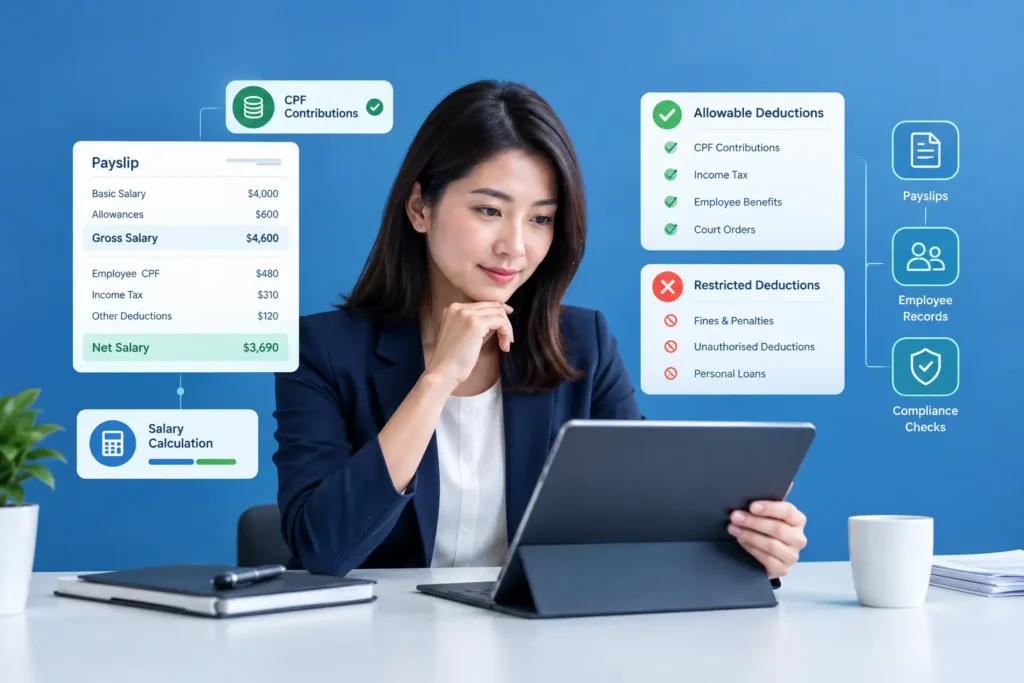
Salary Deductions in Singapore: What Employers Can and Cannot Deduct Payroll mistakes rarely come from complicated calculations. More often, they come from a well-meaning deduction that turns out to be against the rules — recovering a broken laptop in one go, or deducting a full month’s uniform cost from someone’s pay without realising there’s a cap on that. Singapore’s Employment Act sets out exactly which salary deductions employers can make, how much they can deduct, and what steps need to happen first. Get this wrong, even unintentionally, and it can lead to MOM enforcement action, back-payment obligations, and a fair bit of employee mistrust. This guide walks through what’s allowed, what isn’t, and how payroll processes — including payroll software — can help SMEs stay compliant without needing to memorise every clause of the Act. Salary Deductions in Singapore: What Employers Can Deduct Salary deductions are amounts an employer subtracts from an employee’s gross pay before releasing the net salary, and under Singapore’s Employment Act, these can only be made for specific reasons set out in law — such as absence, damage or loss, accommodation, recovery of advances or loans, CPF contributions, or with the employee’s written consent. Employers covered by the Act cannot deduct salary for any reason outside this list, and even permitted deductions are subject to caps and procedural requirements. [MOM – Allowable salary deductions] When Can an Employer Deduct an Employee’s Salary? Under the Employment Act, salary deductions fall into two broad categories: those an employer may be required to make, and those an employer is permitted to make under specific conditions. [Singapore Employment Act 1968 – Sections 26–32] Employers may be required to deduct salary when: Ordered by a court or other authority with the power to make such an order. The employer has been declared an agent for recovering income tax, property tax, or GST payable by the employee. Source: [MOM – Allowable salary deductions] Outside of these mandatory situations, an employer can only deduct salary for the reasons explicitly listed in the Act — not for any deduction the employer personally considers reasonable. This is a common misunderstanding among SMEs: unless a deduction fits one of the recognised categories, it isn’t lawful, even if both parties seem to agree it’s fair at the time. Types of Salary Deductions Allowed in Singapore The Employment Act permits deductions only for the following categories: [MOM – Allowable salary deductions] | [Employment Act 1968] Absence from work. For monthly-rated employees, salary can be deducted for days of unauthorised or authorised absence, calculated based on the applicable formula for incomplete months or unauthorised leave. Damage or loss of money or goods. This covers items like work equipment, tools, or vehicles that the employee is responsible for. Before deducting, the employer must hold an inquiry, give the employee a chance to explain, and cannot deduct more than 25% of one month’s salary as a lump sum. Accommodation that the employee has accepted from the employer. Amenities and services that the Commissioner for Labour has approved and the employee has accepted — for example, childcare or recreational facilities beyond what’s normally required. Employer approval from the Commissioner is required before this deduction can be made, and the deduction cannot exceed 25% of the salary for that period. Recovery of advances, loans, overpaid salary, or unearned employment benefits. Advances and loans must be recovered in instalments not exceeding 25% of salary per period, spread over a reasonable period. Overpaid salary and unearned benefits can be recovered in full. CPF contributions. The employee’s share of CPF must be deducted from the correct month’s salary under the CPF Act. Payments to a registered co-operative society, with the employee’s written consent. Other purposes with written consent, provided the deduction benefits the employee and the employer is in a position to collect the payment on their behalf. Deductions that don’t benefit the employee — such as liquidated damages — cannot be made this way, even with consent. Salary Deductions and Itemised Payslips Under MOM’s itemised payslip requirements, every deduction made from an employee’s salary must be clearly itemised on their payslip — not bundled into a vague “adjustments” line. This means the payslip should show each deduction separately: CPF contributions, any absence-related deduction, loan or advance recovery instalments, and so on, alongside the gross salary and resulting net pay. This isn’t just good practice — it’s a compliance requirement. An itemised payslip that omits or vaguely groups deductions can put an employer in breach of MOM’s payslip rules, separate from whether the underlying deduction itself was lawful. For SMEs, this makes accurate, itemised payroll records essential, not optional. Example of Salary Deductions on a Payslip How Payroll Software Helps Manage Salary Deductions Manually tracking deduction categories, caps, and consent records across a growing headcount is where errors tend to creep in. Payroll software can reduce this risk by applying deduction rules consistently and keeping records organised in one place. Based on verified capabilities, Adaptive Pay’s payroll software auto-calculates salary components — including allowances, deductions, and statutory CPF contributions — based on configured payroll rules, and generates itemised payslips showing detailed breakdowns of earnings, deductions, and contributions as required by MOM. Because the system compiles data from linked modules like leave, attendance, and claims, deductions such as no-pay leave can flow through automatically rather than being calculated by hand each cycle. This kind of automation doesn’t replace the employer’s responsibility to apply the Employment Act correctly — a payroll system still needs accurate rule configuration — but it does reduce the manual re-entry and calculation errors that often lead to compliance issues in the first place. FAQs 1.Is there a maximum amount an employer can deduct from salary in one month?Generally, total authorised deductions cannot exceed 50% of an employee’s salary payable in one salary period. Certain deductions — such as those for absence, or recovery of advances, loans, or overpaid salary — are excluded from this particular cap. Upon termination, the total deduction from
Attendance management challenges in Singapore and solutions for SMEs
HRMS & Technology

Attendance Management Challenges in Singapore: Common Issues & Solutions

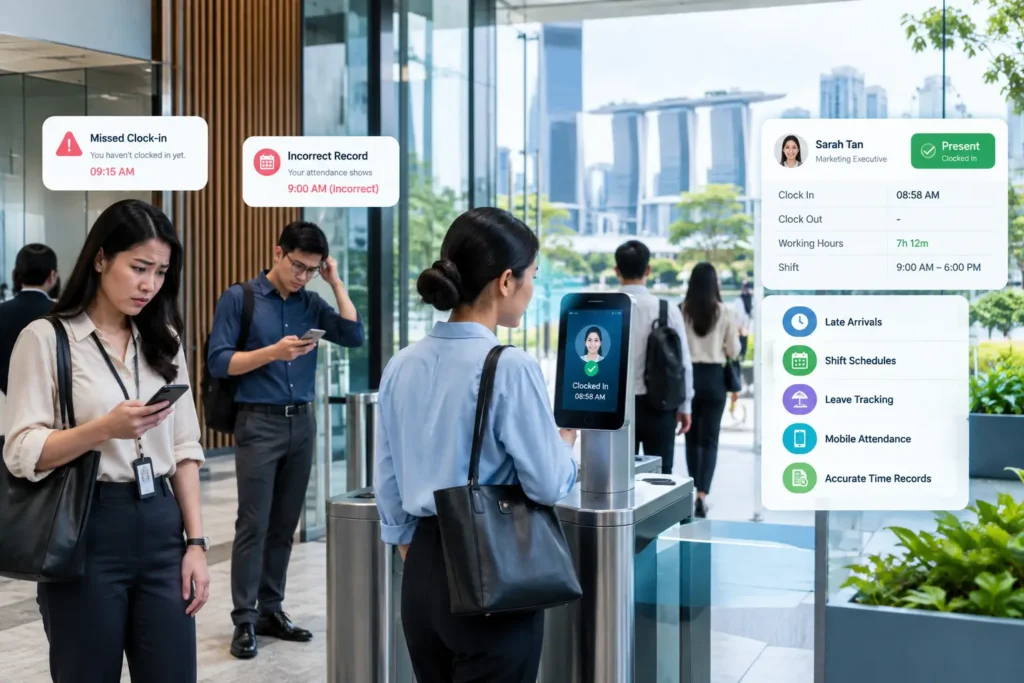
Attendance Management Challenges in Singapore: Common Issues & Solutions Attendance management challenges in Singapore can affect payroll accuracy, overtime tracking, shift planning, and employee records. Attendance sounds like it should be the simplest part of HR — people clock in, people clock out. In practice, it’s often where things quietly go wrong: a missed clock-out that turns into an overtime dispute, a shift swap that never made it into the roster, or a leave day that doesn’t match what payroll processed. This article walks through the attendance management problems Singapore SMEs run into most often, why they matter more than they might seem, and what a properly configured attendance system can actually do about them. These attendance management challenges in Singapore can become more difficult for SMEs when attendance records are maintained manually or across multiple systems. Connecting attendance, leave, and payroll data can reduce the need for repeated manual checks. Why Employee Attendance Management Matters Attendance data isn’t just a record of who showed up — it’s the foundation for payroll accuracy, overtime compliance, and workforce planning. When attendance records are incomplete or inconsistent, the effects ripple outward: Payroll accuracy depends on it. Salary calculations, especially for hourly or shift-based staff, rely directly on accurate time records. Errors here mean overpaying, underpaying, or having to make corrections after the fact. Overtime compliance depends on it. Singapore’s Employment Act sets specific rules under Part IV — a 44-hour work week, a 12-hour daily cap, and a 72-hour monthly overtime limit for covered employees, with overtime paid at least 1.5 times the hourly basic rate. Without accurate attendance data, it’s difficult to track whether these limits are being respected. Workforce planning depends on it. Knowing actual attendance patterns — who’s consistently late, which shifts are understaffed — helps managers make better scheduling decisions, rather than reacting to problems after they’ve already caused disruption. Trust depends on it. Employees rely on attendance records to be accurate, since disputes over hours worked or overtime pay can quickly damage morale if records are unclear or inconsistent. Common Attendance Management Challenges in Singapore A few recurring issues show up across SMEs, particularly those still relying on manual or semi-manual processes: Manual attendance records. Paper timesheets or basic spreadsheets require someone to manually collect, transcribe, and reconcile data — a process that’s slow and prone to transcription errors, especially across a growing team. Late arrivals and early departures. Tracking lateness or early leaving manually often means relying on a supervisor’s memory or a handwritten log, which makes consistent enforcement of company policy difficult. Overtime tracking. Without a system that captures exact clock-in and clock-out times, calculating overtime accurately — and staying within MOM’s caps — becomes a manual, error-prone exercise, particularly when multiple shift patterns are in play. Shift management. SMEs running multiple shifts, especially in retail, F&B, or logistics, often struggle to keep rosters updated and communicated when last-minute changes happen. Leave and attendance mismatches. If leave applications are tracked in one system (or not tracked digitally at all) while attendance is recorded elsewhere, discrepancies are common — an employee marked present who was actually on approved leave, for example. Remote or mobile employees. Field staff, delivery workers, or employees who don’t work from a fixed location are difficult to track with traditional time clocks, leaving gaps in attendance records. Attendance data errors. Manual re-entry of attendance data into payroll systems introduces a category of error that wouldn’t exist if the data flowed automatically between systems. Multiple locations. SMEs operating across several outlets or sites often lack centralised visibility into attendance, making it hard to get a single accurate picture of the whole workforce at once. Payroll discrepancies. All of the above tend to surface at the same point: payroll. An employee questioning why their pay doesn’t match their hours worked is often the first sign that attendance data wasn’t accurate to begin with. These attendance management challenges in Singapore can become more difficult for SMEs when attendance records are maintained manually or across multiple systems. Connecting attendance, leave, and payroll data can reduce the need for repeated manual checks. Time drain. Calculating CPF contributions, prorating salaries for partial months, and preparing payslips manually can take hours each cycle — hours that scale up as headcount grows. Error risk. Manual calculations, especially around CPF rates that vary by age and citizenship status, or overtime formulas, are easy to get wrong when done by hand in a spreadsheet. Compliance pressure. MOM’s itemised payslip requirements, CPF submission deadlines, and IRAS tax filing obligations all carry penalties for late or incorrect submissions — pressure that increases as the business and its payroll complexity grow. Disconnected data. When attendance, leave, and payroll live in separate spreadsheets, someone has to manually reconcile them each cycle, which is both time-consuming and a common source of errors. Scaling pain. A process that worked for 10 employees often breaks down at 30 or 50, forcing a rushed switch to software under time pressure rather than a considered evaluation. How Manual Attendance Tracking Affects Payroll Attendance and payroll are directly linked, which means an attendance problem rarely stays contained to attendance — it becomes a payroll problem too. Consider a simple example: if a supervisor forgets to log an employee’s late clock-in on a paper sheet, that missing record either goes unnoticed (meaning no deduction is applied when one arguably should be) or gets caught weeks later during a payroll review, requiring a correction and possibly a difficult conversation with the employee. Multiply this across a growing team, and manual reconciliation between attendance sheets and payroll spreadsheets becomes a significant, recurring source of both errors and administrative time. Overtime calculations compound this further. Since overtime pay must be calculated at 1.5 times the hourly basic rate and tracked against a monthly cap, inaccurate attendance data doesn’t just risk an incorrect payment — it risks a compliance issue if the actual hours worked exceeded MOM’s limits without anyone catching it in time. How Attendance

Payroll Software Singapore
HRMS & Technology

Payroll Software for Singapore SMEs: 2026 Buyer’s Guide

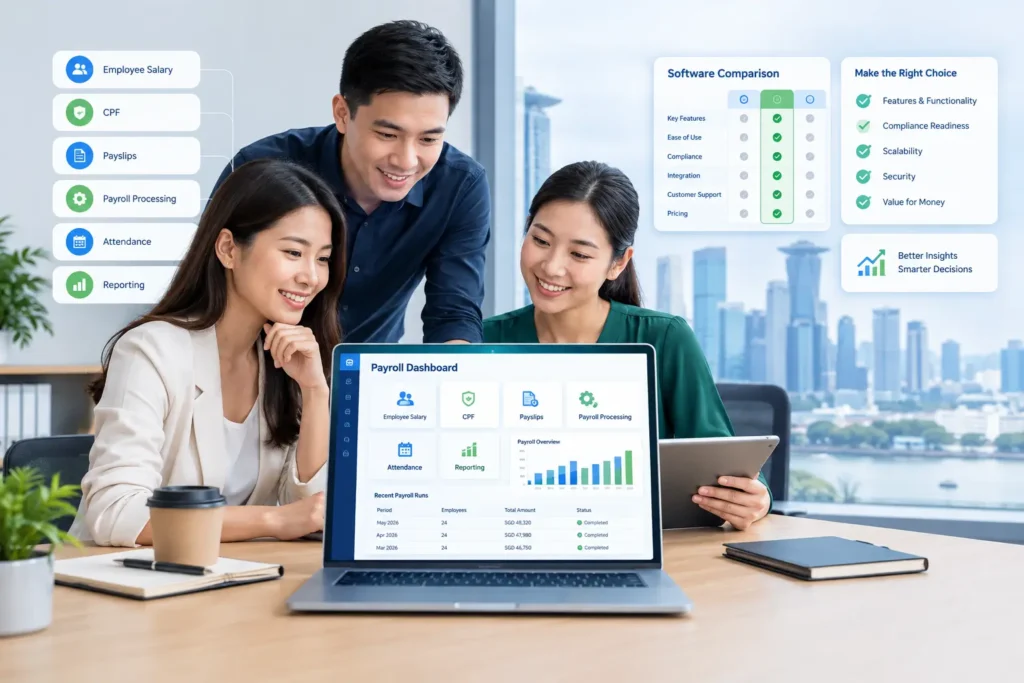
How to Choose the Right Payroll Software for Your Singapore SME Payroll Software Singapore can help SMEs move beyond spreadsheet-based payroll and manage salary calculations, statutory contributions, payslips, and related HR processes more efficiently. If you’re reading this, you’re probably past the “should we get payroll software” question and onto the harder one: which one, and how do you actually compare them without getting lost in feature lists that all start to sound the same? This guide walks through what payroll software actually does, the features worth prioritising, what drives the cost, and a practical process for evaluating vendors — so you can make a decision based on your business’s actual needs rather than whichever sales deck sounds the most impressive. Payroll Software Singapore: What SMEs Should Look For Payroll software is a system that automates the calculation of employee salaries, statutory contributions, and payslip generation, replacing manual spreadsheet-based payroll processing. Instead of an HR or finance team calculating CPF contributions, overtime, and deductions by hand each month, the software applies configured rules automatically and produces itemised payslips, statutory reports, and payment files. Most modern payroll software in Singapore is cloud-based, meaning it’s accessed through a browser or app rather than installed on a single office computer, and often integrates with related HR functions like leave, attendance, and claims. Why Singapore SMEs Need Payroll Software Manual payroll tends to work fine when a company has a handful of employees on a simple, fixed salary structure. The challenges usually start showing up as the business grows or payroll gets more complex: Time drain. Calculating CPF contributions, prorating salaries for partial months, and preparing payslips manually can take hours each cycle — hours that scale up as headcount grows. Error risk. Manual calculations, especially around CPF rates that vary by age and citizenship status, or overtime formulas, are easy to get wrong when done by hand in a spreadsheet. Compliance pressure. MOM’s itemised payslip requirements, CPF submission deadlines, and IRAS tax filing obligations all carry penalties for late or incorrect submissions — pressure that increases as the business and its payroll complexity grow. Disconnected data. When attendance, leave, and payroll live in separate spreadsheets, someone has to manually reconcile them each cycle, which is both time-consuming and a common source of errors. Scaling pain. A process that worked for 10 employees often breaks down at 30 or 50, forcing a rushed switch to software under time pressure rather than a considered evaluation. Manual Payroll vs Payroll Software Singapore Payroll Compliance Considerations Whichever software you choose, it needs to support — not just claim to support — a few core statutory obligations: CPF contributions. Employers must pay CPF for Singapore Citizen and Permanent Resident employees, at rates that vary by age, wage level, and citizenship status. The CPF Board publishes current contribution rate tables, which any payroll system should keep updated. Itemised payslips. Under the Employment Act, employers must issue itemised payslips within three working days of salary payment (or together with payment), listing prescribed items such as basic pay, allowances, deductions, and net salary. MOM’s guidance on itemised payslips sets out the specific requirements. Income tax reporting. Employers with five or more employees generally must join IRAS’s Auto-Inclusion Scheme (AIS), submitting employee income information electronically rather than issuing paper IR8A forms. Record keeping. Payroll and employment records generally need to be retained for a set period, covering both current and former employees. Cloud Payroll Software vs Traditional Payroll Systems The distinction here matters more than it might seem at first glance. Traditional payroll systems are typically installed on a single computer or local server, accessed only from that specific machine or network. Updates (including CPF rate changes) often require manual installation, and accessing payroll data remotely usually isn’t straightforward. Cloud payroll software is hosted online and accessed through a browser or app from any device with an internet connection. Updates, including statutory rate changes, are typically pushed automatically by the vendor. This also makes it easier for HR or finance staff to process payroll while working remotely, and for business owners to check payroll status without needing to be in the office. Most payroll software built for the Singapore SME market today is cloud-based, largely because it reduces the IT overhead of maintaining local infrastructure and keeps compliance updates centralised. Traditional on-premise systems still exist, particularly among older legacy setups, but they’re increasingly the exception rather than the norm for new SME purchases. How Much Does Payroll Software Singapore Cost? Pricing varies significantly between vendors, and this guide won’t invent specific figures — actual pricing depends on the provider and your requirements. That said, a few factors consistently influence cost: Number of employees. Most vendors price per employee or in employee-count tiers, so cost scales with headcount. Modules included. A payroll-only subscription typically costs less than a bundled HRMS covering payroll, leave, attendance, and claims together. Subscription model. Most Singapore payroll software is sold as a recurring subscription (monthly or annual) rather than a one-time licence purchase. Implementation. Initial setup — migrating employee data, configuring payroll rules, and testing the first few payroll runs — may involve a one-time cost or be bundled into onboarding. Support level. Basic email support versus dedicated account management or priority support can affect pricing tiers. Additional services. Add-ons like advanced reporting, API integrations with accounting software, or premium modules may carry separate costs. It’s also worth checking government support options. Under the Productivity Solutions Grant (PSG) administered by Enterprise Singapore, eligible SMEs adopting pre-approved digital solutions — including some payroll and HRMS software — can receive funding support toward the cost, subject to eligibility criteria. Since grant terms and eligible solutions change periodically, check current details directly on Enterprise Singapore’s site or with the specific vendor’s PSG status before assuming eligibility. Rather than comparing headline monthly prices in isolation, request quotes based on your actual employee count and required modules, and factor in the internal time saved versus your current manual process. How to Choose

Payroll Outsourcing vs Payroll Software in Singapore
Payroll & Compliance

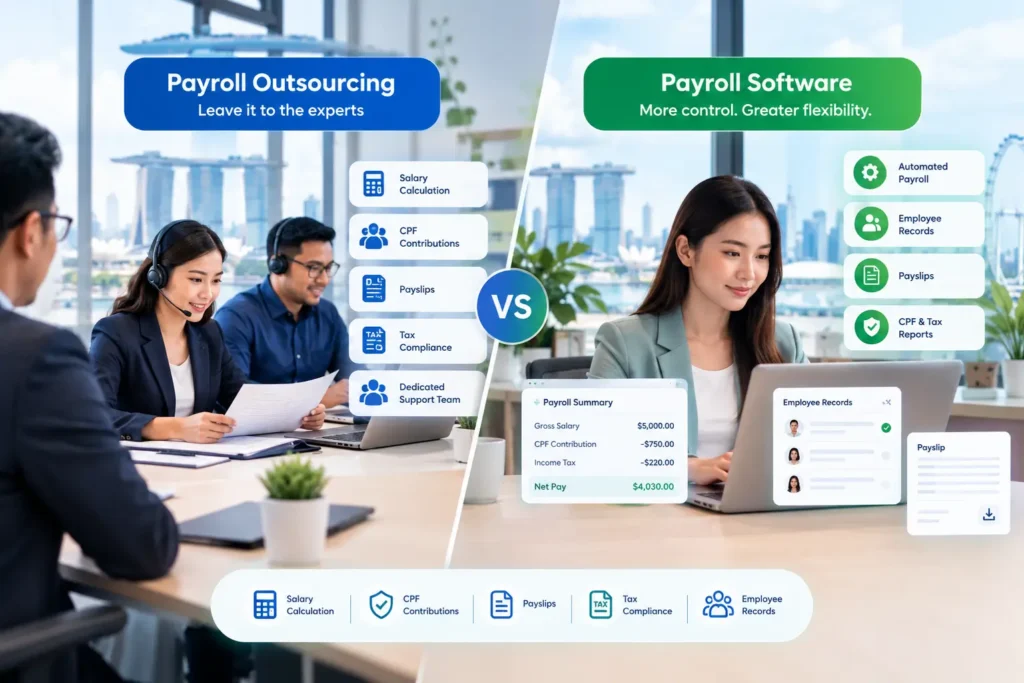
Payroll Outsourcing vs Payroll Software in Singapore: Which Is Better for SMEs?

Payroll Outsourcing vs Payroll Software in Singapore: Which Is Better for SMEs? Every Singapore SME eventually hits the same payroll question: keep doing it in-house, hand it to someone else, or find a smarter way to run it internally. Get it wrong, and you’re looking at late CPF submissions, incorrect payslips, or a finance manager who spends every 25th of the month buried in spreadsheets instead of running the business. This is really a choice between two different approaches — payroll outsourcing and payroll software — and the debate around payroll outsourcing vs payroll software Singapore businesses face isn’t about which one is universally “better.” It’s about which one fits your headcount, your budget, and how much control you want to keep in-house. This article breaks down how each option works, what they cost, and how to decide which one (or which combination) suits your SME. Payroll Outsourcing vs Payroll Software in Singapore Payroll outsourcing vs payroll software in Singapore represents two different ways for SMEs to manage payroll. Understanding how each approach works can help businesses compare control, internal workload, costs, and operational requirements. Payroll outsourcing means handing your payroll processing to a third-party provider who calculates salaries, manages statutory contributions, and issues payslips on your behalf. Instead of running payroll internally, your company sends employee data to the provider each cycle, and they handle the calculations, submissions, and reporting. For many small business owners, this feels like the simplest way to make sure payroll gets done correctly without hiring a dedicated payroll specialist. How Payroll Outsourcing Works The typical workflow looks like this: Your HR or finance team sends the provider employee data — new hires, salary changes, leave taken, overtime hours, resignations. The provider calculates gross and net pay, CPF contributions, and any other statutory deductions. Payslips are generated and distributed to employees. The provider prepares the necessary submissions, such as CPF contributions and, where applicable, income tax reporting. Your company reviews and approves the output before payment is released. Some providers offer a fuller service that includes bank file preparation, year-end tax form generation, and advisory support on payroll queries. Others offer a narrower scope, so it’s worth clarifying exactly what’s included before signing on. Benefits of Payroll Outsourcing Less internal administrative burden. Your team isn’t manually calculating CPF or chasing overtime records every month. Specialist knowledge. Providers who handle payroll for many clients tend to stay current on regulatory changes. Reduced hiring pressure. A small company doesn’t need to recruit or train an in-house payroll specialist. Predictable service scope. Many providers work on a defined monthly service agreement, which can make budgeting easier. Potential Drawbacks of Payroll Outsourcing Less day-to-day control. Urgent changes — a last-minute salary adjustment, a bonus that needs to go out today — may depend on the provider’s turnaround time. Data sits with a third party. Your employees’ salary and personal data is processed outside your own systems, which raises questions worth asking about data handling and security. Response time can vary. If a query comes in outside the provider’s usual processing window, resolution may take longer than doing it yourself. Scaling costs. As your headcount grows, ongoing service fees typically grow with it. What Is Payroll Software? Payroll software is a system that automates payroll calculations, CPF computations, payslip generation, and tax reporting, while keeping the process managed by your own team. Rather than sending data to an external party, your HR or finance staff run payroll directly within the platform. How Payroll Software Works Most payroll software follows a similar cycle: Employee master data (salary, bank details, CPF status) is set up once and updated as needed. Attendance, leave, and claims data feed into the system, often automatically if the software includes those modules. The software calculates salaries, overtime, CPF contributions, and deductions based on configured rules. Payslips are generated and can usually be pushed to employees via a self-service portal or app. Reports and statutory submission files are generated for CPF and tax filing. A growing SME might otherwise spend several hours each month manually cross-checking attendance records, recalculating salary adjustments, and preparing payslips one by one. Payroll software automates much of that repetitive work, so the same tasks might take a fraction of the time. Benefits of Payroll Software More control over the process. You can make last-minute adjustments without waiting on a third party. Automation reduces manual error. CPF rates, overtime formulas, and deduction rules are built into the system rather than recalculated by hand. Employee self-service. Staff can view payslips and leave balances themselves, cutting down on HR queries. Integration with other HR data. Many platforms combine payroll with attendance, leave, and claims, so information doesn’t need to be re-entered across systems. Scales without a linear cost increase. Adding employees typically means updating records in the system rather than renegotiating a service scope. Potential Limitations of Payroll Software Requires internal ownership. Someone in your team still needs to understand payroll rules and operate the system correctly. Setup and learning curve. Migrating employee data and configuring payroll rules takes time upfront. Errors are still possible. Software reduces manual mistakes but doesn’t eliminate the need for review, especially during setup. Vendor dependency for updates. You rely on the software provider to keep CPF rates and compliance rules current Can SMEs Combine Payroll Software With Outsourced Payroll Services? Yes — many SMEs use a hybrid model rather than treating this as a strict either/or decision. A company might run day-to-day payroll processing on its own software, while still engaging an external accountant or payroll consultant for year-end tax filing, complex cases (such as work pass cancellations or cross-border payments), or periodic compliance reviews. FAQs 1.Is payroll outsourcing cheaper than payroll software?It depends on your headcount and needs. Outsourcing fees often scale per employee, so costs can rise as your team grows. Payroll software is usually priced on a subscription basis, which may offer more predictable long-term costs, but it also requires internal staff time to operate. Rather

HR Tips

AI-Enabled HRMS in Singapore: How It Transforms HR

AI-Enabled HRMS in Singapore: How AI Is Transforming HR Management An AI-enabled HRMS in Singapore can help SMEs reduce repetitive HR administration, improve access to workforce information, and support employees through self-service tools. Instead of replacing HR judgement, AI-enabled HRMS platforms can handle repetitive, data-heavy tasks so HR teams can spend more time on work that requires human decision-making. Walk into many Singapore SME HR offices five years ago, and you might have found someone manually cross-checking attendance sheets against payroll or searching through email threads to answer a simple leave balance question. Today, automation and AI-assisted HR tools can reduce much of this manual work. This article explains what an AI-enabled HRMS actually means, where AI genuinely adds value versus where it’s just automation with a new label, and what Singapore SMEs should look for before choosing one. What Is an AI-Enabled HRMS in Singapore? An AI-enabled HRMS is a human resource management system that uses artificial intelligence — such as machine learning, natural language processing, or predictive analytics — to interpret HR data and support decisions, rather than simply executing pre-set rules. This is a meaningful distinction from standard HR automation, which follows fixed logic (if X happens, do Y) without adapting or offering insight beyond what was explicitly programmed. It’s worth being precise about the difference: Standard automation calculates CPF contributions using a fixed formula, generates a payslip on a set schedule, or sends a reminder when leave hasn’t been approved after two days. The logic is rule-based and doesn’t change based on patterns in the data. AI capabilities go a step further — surfacing patterns across data, answering natural-language questions, flagging anomalies that don’t fit expected patterns, or generating insights that a rule-based system wouldn’t be programmed to catch on its own. Many platforms marketed as “AI HRMS” blend both — a strong automation backbone with AI layered on top for specific tasks like analytics or employee queries. It’s a useful distinction to keep in mind when evaluating vendor claims, since not every “AI” feature is doing something meaningfully different from well-built automation. How AI Is Changing HR Management The practical shift AI brings to HR management tends to show up in a few concrete ways, rather than a dramatic overhaul of how HR departments function: Turning raw data into readable insight. Instead of an HR manager manually compiling attendance trends across departments, an AI-assisted system can surface patterns — such as which team has the highest overtime — without a manual data pull. Answering routine employee questions instantly. Rather than employees emailing HR to ask about leave balances or payslip details, AI-driven assistants can respond directly, freeing HR staff from repetitive queries. Flagging anomalies for human review. AI can highlight unusual patterns — like a payroll figure that deviates from an employee’s typical pay — so a human can check it before it becomes an error, rather than catching it after the fact. Supporting, not replacing, HR decisions. AI tools generally present information and flag patterns; the actual HR decision, such as approving leave or resolving a compliance question, still needs human judgement, particularly where Singapore employment law is involved. None of this means HR becomes hands-off. It means less time is spent gathering and reconciling data manually, and more time is available for the judgement calls that data alone can’t make. Traditional HR Management vs AI-Enabled HRMS Benefits for Singapore SMEs For SMEs specifically — where HR is often handled by a small team wearing multiple hats — the practical benefits tend to show up as: For Singapore SMEs, an AI-enabled HRMS in Singapore can bring these capabilities together in one connected HR environment, reducing the need to manage attendance, leave, payroll, and employee information across separate processes. Reduced administrative workload. Less time spent manually compiling data across attendance, leave, and payroll systems that don’t talk to each other. Faster HR processes. Approvals, payslip generation, and reporting can happen closer to real time rather than waiting for a manual batch process. Better data visibility. HR and management can see workforce data — headcount, leave trends, payroll costs — without requesting a custom report each time. Reduced manual errors. Automating repetitive calculations (like CPF contributions or overtime pay) reduces the chance of manual re-entry mistakes. Improved employee experience. Employees get faster answers to routine questions and self-service access to their own records, rather than waiting on HR. We haven’t included specific percentage improvements or ROI figures here, since actual results vary significantly by company size, existing processes, and how well the system is implemented. AI and Payroll Automation Payroll is one of the areas where automation delivers the most consistent value, because the calculations themselves are governed by clear rules — CPF rates, overtime formulas, statutory deductions — that don’t require judgement once configured correctly. Automation handles the calculation itself: applying CPF rates based on age and citizenship status, computing overtime at the statutory 1.5x rate, and generating itemised payslips. Where AI can add a further layer is in reviewing the output — for example, flagging a payroll run where an employee’s net pay deviates unexpectedly from their usual pattern, prompting a human check before the payment goes out. This kind of anomaly detection supports payroll accuracy without replacing the need for someone to review and approve the final run. AI and Employee Self-Service Self-service portals let employees handle routine tasks themselves — checking payslips, applying for leave, submitting claims, and viewing their attendance record — through a web portal or mobile app, without needing to go through HR for each request. Where AI can extend this is through conversational interfaces: an employee asking “how many annual leave days do I have left?” and getting an instant answer, rather than emailing HR and waiting for a reply. This reduces the volume of repetitive queries HR fielded before, though it works best for straightforward, data-based questions rather than judgement calls that still need a human — like an unusual leave request or a payroll dispute.

Leave Management Software Simplifies HR Operations in Singapore
Leave & Benefits

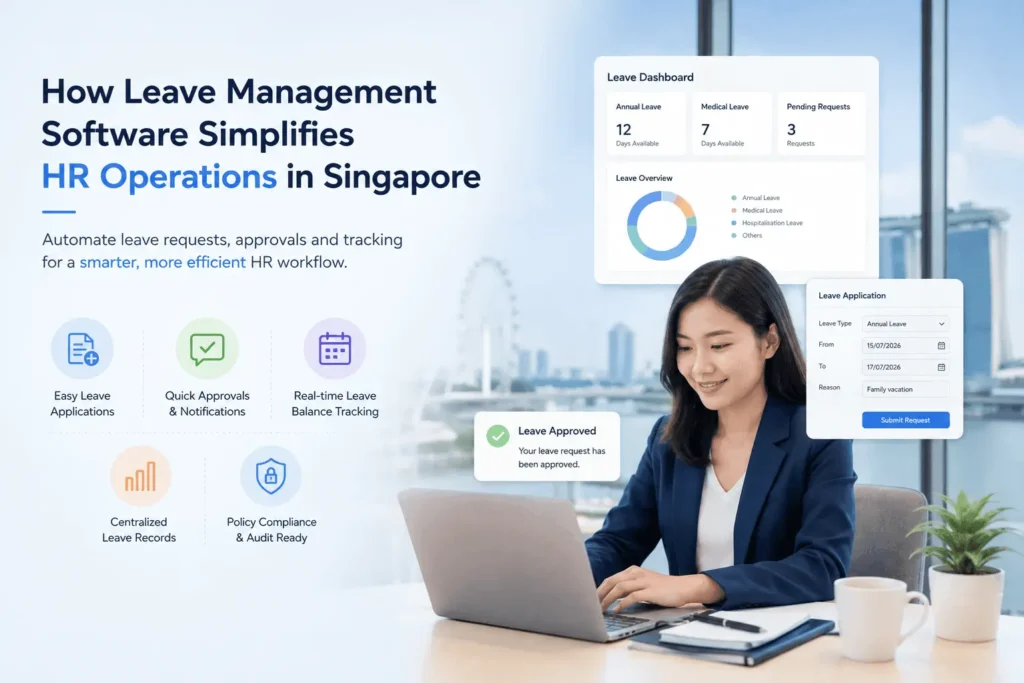
How Leave Management Software Simplifies HR Operations in Singapore

How Leave Management Software Simplifies HR Operations in Singapore An employee sends a leave request over WhatsApp. HR copies it into a spreadsheet. The manager approves it in a separate email thread, and somewhere along the way, someone forgets to update the leave balance. Two weeks later, payroll is being processed and nobody is quite sure whether the unpaid leave was recorded correctly. If this sounds familiar, you’re not alone. Most Singapore SMEs start out managing leave this way, and honestly, it works fine when there are ten or fifteen employees. The trouble starts when the company grows, more leave types get added, and HR ends up spending hours each week just keeping records straight. This is where leave management software comes in. At its core, it’s a system that brings leave applications, approvals, balances and records into one place, instead of scattering them across spreadsheets, emails and chat apps. This article looks at what it actually does, why manual tracking becomes a problem, and what Singapore businesses should consider before choosing a system. What Is Leave Management Software? Leave management software is a tool that lets employees apply for leave, lets managers approve or reject those requests, and keeps an accurate, up-to-date record of everyone’s leave balance. In under 60 words: it replaces manual leave tracking with a centralised system that handles applications, approvals, balance calculations and reporting, so HR doesn’t have to manually reconcile spreadsheets and email threads every time someone takes a day off. A basic leave tracker might just be a shared spreadsheet with some formulas. A proper leave management system goes further. It typically includes: Online leave applications, so employees don’t need to email or message HR directly Approval workflows that route requests to the right manager automatically Automatic leave balance tracking, including carry-forward and accrual Support for different leave types — annual, sick, unpaid, and others specific to the company A shared leave calendar so teams can see who’s away Notifications for pending approvals or upcoming leave Reporting for HR to review leave trends across the company A single source of truth that both HR and employees can refer to The difference matters. A spreadsheet can tell you what’s already happened, if someone remembered to update it. A leave management system is built to run the actual process — from the moment someone applies, through approval, right up to how it affects attendance and payroll. Why Manual Leave Management Becomes Difficult for Singapore SMEs Manual leave tracking works fine for small teams, but the cracks usually show up as headcount grows. Take a fairly typical case: a Singapore SME started with 20 staff on a shared Google Sheet, and it worked because HR knew everyone personally. By 50–100 employees across multiple departments, the same process broke down. Employees emailed HR just to check their leave balance, since they no longer trusted the spreadsheet. Overlapping leave requests slipped through unnoticed. Year-end carry-forward calculations took HR almost a week, since policies varied slightly by department. Common friction points at this stage include: Formula errors or accidental overwrites Employees repeatedly asking HR for their balance Approvals sitting unanswered in someone’s inbox Duplicate leave entries across files Difficulty tracking multiple leave categories Manually calculating pro-rated leave for new hires Carry-forward rules applied inconsistently Poor visibility into who’s on leave on a given day Extra reconciliation work at payroll time None of this means a company is non-compliant — it just means the process hasn’t kept pace with team size. This is usually the point HR teams start looking at leave management software. How Leave Management Software Simplifies HR Operations Employees Can Apply for Leave Online With leave application software, employees submit requests themselves — selecting leave type, checking their balance, and tracking approval status — without emailing or messaging HR. This cuts a large share of routine back-and-forth and reduces “how many days do I have left” questions almost immediately. Managers Can Approve Requests Faster Approval workflows route requests automatically: an employee applies, the manager gets notified, approves from their phone, and the balance updates itself — no manual spreadsheet edits, no approvals buried in inboxes. HR Gets a Centralised View of Leave HR can see who’s on leave, pending requests, upcoming absences, current balances, and historical records — all in one place, useful for both daily admin and planning around busy periods. Leave Balances Can Be Tracked Automatically Software handles balance calculations — carry-forward, pro-rating, leave taken — based on rules HR configures. It applies the rules; it doesn’t guarantee legal compliance on its own. HR still needs to set the policies correctly. Leave Data Can Connect With Attendance and Payroll This is often where the biggest practical gains show up. The flow is simple: leave request → approval → updated balance → attendance record → payroll. When approved leave feeds into payroll management, HR spends far less time reconciling numbers, with less risk of unpaid leave being missed at payroll. Singapore Leave Management: What Should Employers Consider? Singapore employers generally need to manage several categories of leave, including annual leave, sick leave, maternity leave, paternity leave, and childcare leave, alongside any additional leave the company chooses to offer as part of its own policies. Entitlements and eligibility conditions depend on factors like length of service and the terms of the Employment Act, and these rules can be updated over time. Because of this, it’s worth being precise about what’s what. Statutory leave refers to the minimum entitlements set by law. Company policy leave refers to anything additional a business chooses to offer, such as extra annual leave or flexible leave days. Software capability refers to what the system can track and calculate based on the rules HR configures — it doesn’t set the rules itself. For current and accurate statutory leave entitlements and eligibility criteria, employers should refer directly to the Ministry of Manpower (MOM) website, since requirements can change and this article isn’t a substitute for that guidance or for proper legal advice. How

Employee Self-Service
Employment & MOM Guidelines

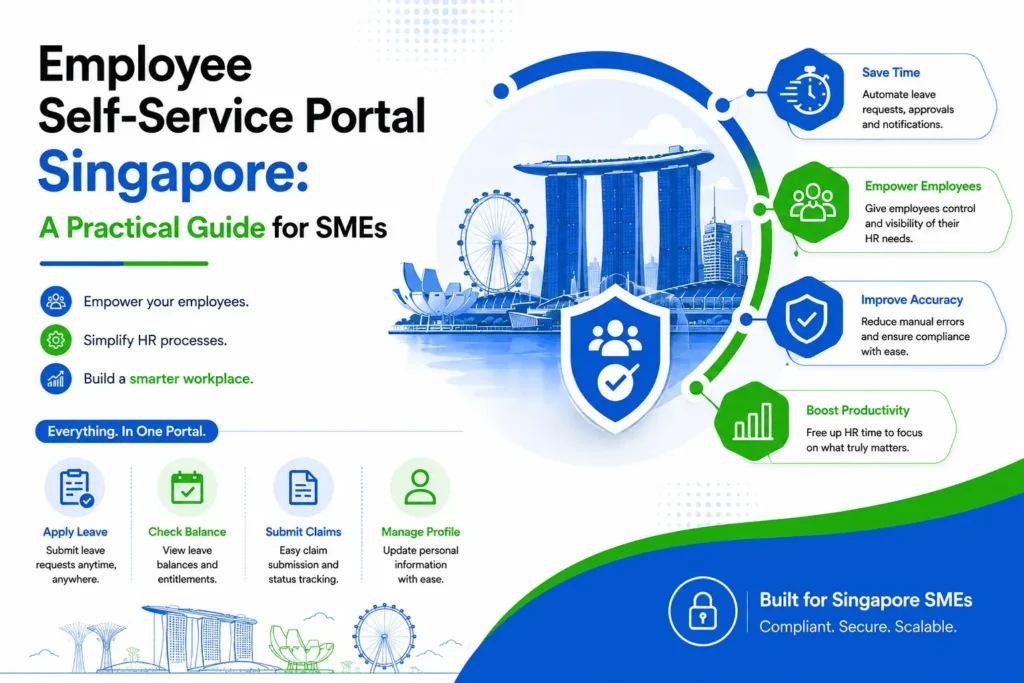
Employee Self-Service Portal Singapore: A Practical Guide for SMEs

Employee Self-Service Portal Singapore: A Practical Guide for SMEs An employee needs to check their payslip, apply for leave, update their mobile number, or submit a claim for a client dinner. In a lot of Singapore SMEs, each of these still goes through HR individually — an email here, a WhatsApp message there, maybe a printed form for the claim. HR ends up handling the same handful of requests over and over, for every employee, every month. An Employee Self-Service Portal changes that by giving employees a place to handle these routine tasks themselves, without needing HR to step in each time. It sounds like a small shift, but for a growing company, it can free up a surprising amount of HR’s time. This becomes more noticeable as headcount grows. What was manageable for 15 employees becomes a lot more repetitive at 60, and by the time a company reaches 100 or more, HR can spend a good part of the week just answering the same kinds of questions. This article looks at what an ESS portal actually does, how it fits into day-to-day HR work, and what Singapore SMEs should think about before adopting one. What Is an Employee Self-Service Portal? An Employee Self-Service Portal is a system that lets employees access and manage selected HR information and requests on their own, instead of relying on HR for every routine task. It typically covers things like leave applications, payslips, personal information updates and claims, all in one place employees can log into whenever they need to. In practice, this usually includes: Applying for leave and checking leave balances Viewing and downloading payslips Submitting and tracking claims Checking attendance-related information Updating personal details, within whatever limits the company sets Accessing relevant HR documents Checking the status of pending requests Receiving notifications on approvals or updates Employee self-service software isn’t meant to replace HR’s judgment — approvals, policy decisions and sensitive matters still go through a person. What it does is remove the repetitive, low-value parts of the process, so HR isn’t the middleman for every single request. Why Do Singapore SMEs Need an Employee Self-Service Portal? Not every SME runs into the same problems, but a few patterns show up often enough to be worth naming. HR ends up fielding the same repetitive questions — “how many leave days do I have left,” “can you resend my payslip,” “did you get my claim.” Leave requests get handled through email or WhatsApp, which means there’s no single record of who applied for what, or whether it was actually approved. Payslips get generated and then manually sent out one by one each month. Employee information, like a change of address or bank details, gets updated by hand whenever someone remembers to tell HR. Claims often involve a fair amount of back-and-forth just to confirm receipts were received and are being processed. None of this is necessarily a sign that something’s wrong. Plenty of small teams run this way without much friction. But as employee numbers increase, the volume of these requests grows too, and HR starts spending more time on administrative back-and-forth than on the parts of the job that actually need a person’s judgment. How an Employee Self-Service Portal Works The general flow is fairly simple: an employee logs in, views the relevant information, submits a request if needed, the request goes to a manager or HR for review, the system updates the record once it’s processed, and the employee sees the updated status. The details vary depending on what’s being requested. Leave Application An employee logs in, checks their current leave balance, and submits a leave request without needing to email or message HR directly. The request goes to their manager for approval, and once approved, the balance updates automatically. This connects closely with dedicated Leave Management Software Singapore, which handles the approval workflow and balance tracking behind the scenes. Payslip Access Instead of HR generating and individually emailing payslips every month, employees can log in and access their own payslips whenever they need them — useful for things like loan applications or simply keeping personal records. Employee Information Employees can review their own details and, depending on what the company allows, update certain information themselves — like a change of address or emergency contact — rather than sending HR a message and waiting for it to be manually keyed in. Claims Employees can submit expense claims with supporting documents through the portal and track whether they’ve been approved, rejected, or are still pending, instead of having to follow up separately to check. Attendance Where the system supports it, employees can view their own attendance-related information, such as clock-in records, which is useful for spotting and flagging discrepancies early rather than only at payroll time. Employee Self-Service Portal vs Traditional HR Administration Task Traditional HR Administration Employee Self-Service Portal Leave requests Email/WhatsApp, manually logged Submitted and tracked online Payslips Sent individually by HR Accessed directly by employees Employee information Updated manually by HR Updated by employees, within set limits Claims Back-and-forth via email Submitted and tracked in-system Request tracking Often unclear or informal Visible status at each stage HR workload Higher, more repetitive Lower for routine tasks Employee access Depends on HR availability Available anytime Is an Employee Self-Service Portal Suitable for Small Businesses? Company size alone isn’t really the deciding factor. A five-person team with straightforward leave policies and simple payroll may not feel much pain from manual processes yet. What matters more is the actual HR workload — how many employees there are, how often leave requests and claims come in, how complex payroll and leave policies are, what employees have come to expect from previous employers, and whether the company is planning to grow. For example, a 15-person design studio with one leave policy and monthly claims might genuinely be fine with a shared spreadsheet for now. A 15-person logistics company running multiple shifts, several leave types, and frequent claims might already be finding manual processes

HR Compliance- Adaptive
HRMS & Technology

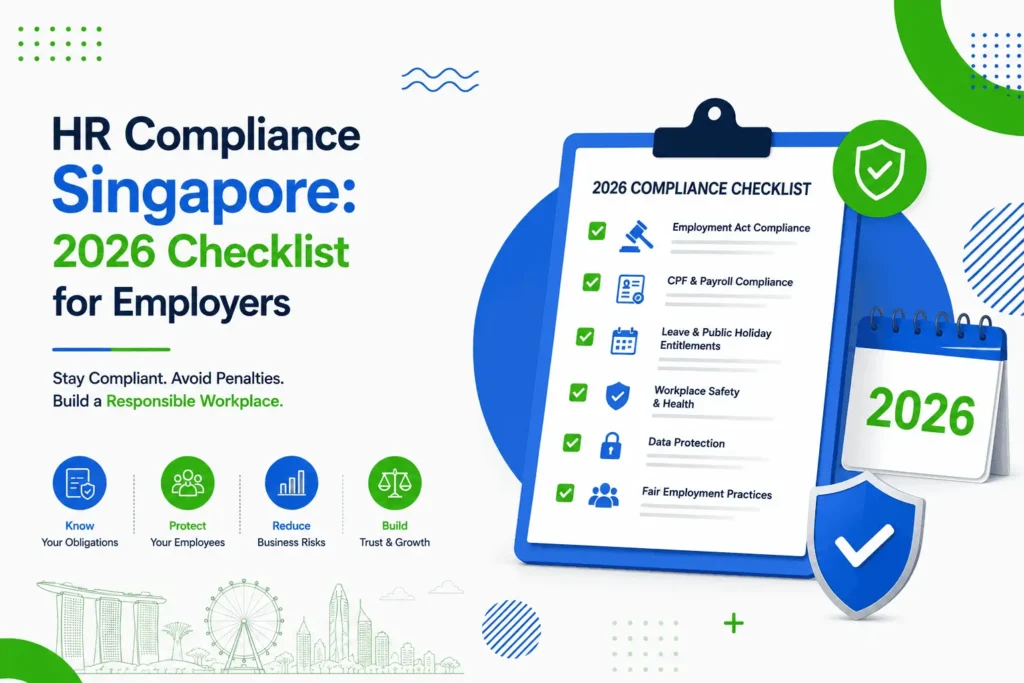
HR Compliance Singapore: 2026 Checklist for Employers

HR Compliance Singapore: 2026 Checklist for Employers A growing SME might have every basic in place — signed employment contracts, payroll running on schedule, employees applying for leave through some kind of system. And yet, when you actually look closely, there can still be gaps: employment records that are incomplete, payslips missing a required field, personal files scattered across old folders, or an offboarding process that was never really written down. HR compliance in Singapore isn’t only about paying salaries correctly, though that’s certainly part of it. It also covers documentation, record-keeping, leave administration, data handling and a handful of administrative processes that are easy to overlook once a company gets past its first few hires. This article walks through what HR compliance actually covers, area by area, so you can use it as a working checklist rather than a legal reference. A quick note before we go further: this article isn’t legal advice, and it doesn’t cover every obligation for every business. Requirements can depend on your employee types, industry, work arrangements, and other company-specific factors — so treat this as a starting point for review, not a substitute for checking directly with the relevant authority. What Is HR Compliance in Singapore? HR compliance in Singapore refers to following the employment laws, regulations and administrative requirements that apply to how a business manages its employees — from employment contracts and payslips to leave, CPF contributions and record-keeping. What applies to a given business can vary depending on its workforce composition, industry, and how it structures work arrangements, so HR compliance Singapore isn’t a single fixed checklist that fits every company identically. In practice, it means having the right documentation in place, keeping accurate and complete records, paying employees correctly and on time, and staying reasonably current on requirements as they’re updated. Singapore HR Compliance Checklist for Employers The following areas come up repeatedly when businesses review their HR processes. None of this replaces professional advice for your specific situation, but it’s a reasonable starting point for a self-review. 1. Employment Contracts and Key Employment Terms Employers are required to provide Key Employment Terms (KETs) in writing to employees covered by the Employment Act, generally within 14 days of the employee starting work. MOM’s key employment terms page sets out what needs to be included — things like job title, salary details, working hours, leave types and notice periods. It’s worth checking your current contract templates against this list rather than assuming an older template still covers everything required. 2. Employment Records Employers covered by the Employment Act are expected to maintain proper employment records, including basic employee information, salary details, and information such as leave taken. MOM’s guidance on what employee records you need to keep sets out what’s generally expected. For a growing SME, this is often where gaps first appear — leave records living in one spreadsheet, salary adjustments noted informally in emails, and no single place where a complete employee file actually sits. 3. Itemised Payslips Employers must provide itemised payslips to employees covered by the Employment Act. This isn’t just a courtesy document — it needs to include specific salary components. Rather than guessing at the format, it’s worth referring directly to MOM’s official guidance on itemised payslip requirements, and checking whether your current payslip template — whether generated manually or through software — actually includes everything expected. 4. Salary and Payroll Processing This covers the basics: calculating salary accurately, applying overtime correctly where it applies, handling deductions properly, running CPF-related payroll processes, and keeping the underlying salary records organised. None of this is unusual for a functioning payroll process, but it’s easy for small inconsistencies to creep in as headcount grows — a rate that wasn’t updated after a raise, a deduction applied inconsistently, or a payroll record that doesn’t quite match what was actually paid. 5. Working Hours, Overtime and Rest Days Requirements around working hours, overtime and rest days depend on which employees are covered under Part IV of the Employment Act — broadly, this doesn’t apply to managers and executives, and coverage depends on salary thresholds that can change over time. Rather than relying on a rule of thumb, it’s worth checking MOM’s page on hours of work, overtime and rest days directly, since coverage and thresholds can be updated. 6. Leave Administration Employers generally need to manage several leave categories — annual leave, sick leave, and other statutory leave types such as maternity, paternity or childcare leave where applicable — alongside any additional leave the company chooses to offer as a matter of policy. Exact entitlements and eligibility depend on factors like length of service and employee category, so rather than listing specific numbers here, it’s worth checking current details directly with MOM. What matters operationally is having a clear, consistent way to track and record leave. This is one of the areas where a dedicated Leave Management Software Singapore system tends to help — centralising applications, balances and approval records instead of leaving them scattered across email and spreadsheets. 7. CPF Contributions Employers are generally required to make CPF contributions for eligible Singapore Citizen and Permanent Resident employees. Contribution rates depend on factors like age group and wage level, and these rates are reviewed periodically — the CPF Board’s employer obligations page and its contribution rate guidance are the right place to confirm current figures rather than relying on a number from a previous year. What matters for HR is having a consistent monthly process: confirming CPF liability, submitting on time, and reconciling contributions against payroll records. 8. Fair Employment Practices Singapore employers are expected to follow the Tripartite Guidelines on Fair Employment Practices, which set out principles around merit-based recruitment, fair treatment, and non-discriminatory HR practices. This isn’t only a hiring consideration — it extends to how performance, promotion and other HR decisions are documented and applied consistently. 9. Employee Data and Privacy Employee personal data — NRIC numbers, salary details, medical information, and similar — falls

Payroll & Compliance

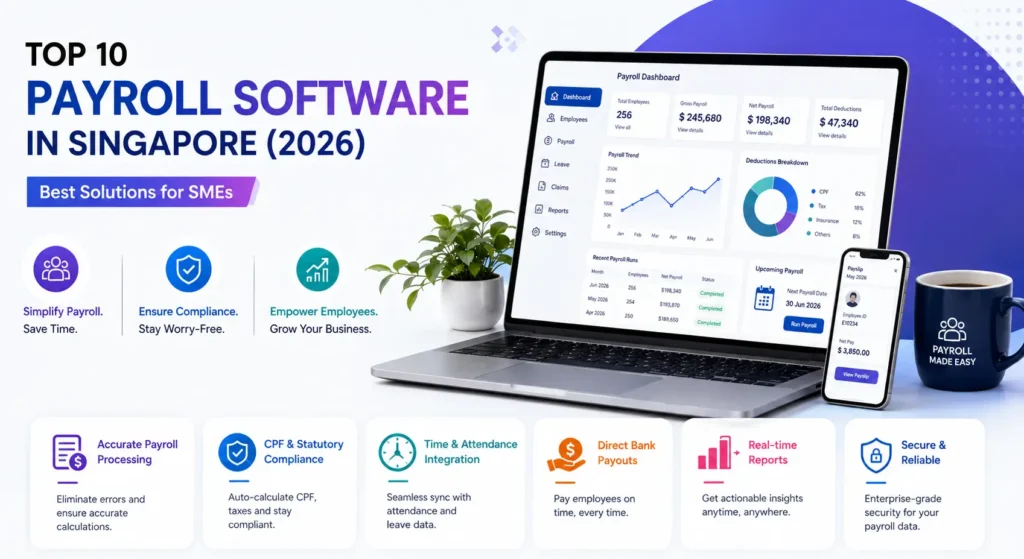
Top 10 Payroll Software in Singapore (2026): Best Solutions for SMEs

Top 10 Payroll Software in Singapore (2026): Best Solutions for SMEs Payroll used to be a weekend job with a spreadsheet. Not anymore — CPF tiers shift by age, and IRAS deadlines don’t care how busy your month was.One missed deduction and an entire payroll run is off, usually caught only when an employee flags a shortfall in their pay. Payroll software fixes this by automating CPF, SDL and tax calculations, pulling attendance and leave data straight into each run.Below, we compare the top payroll software Singapore SMEs are using in 2026 — what each one actually does, not just what its marketing says. Why Businesses Need Payroll Software CPF contribution rates vary by age band and wage ceiling, and getting them wrong — even slightly — can mean compliance issues or an unhappy employee asking questions HR can’t easily answer. Payroll automation removes the manual re-entry that causes most of these mistakes. When attendance management, a leave management system and payroll all sit in one place, a day of unpaid leave or an approved overtime claim reflects in the next pay run without anyone doing the math by hand. It also changes the employee experience. Digital payslips and employee self-service mean staff aren’t emailing HR to check their own pay history. And as a company scales from ten employees to a hundred, payroll software absorbs that complexity instead of multiplying admin work alongside it. Top 10 Payroll Software in Singapore 1. Adaptive Pay Adaptive Pay is a Singapore-built payroll and HR platform designed around how local SMEs actually run, rather than adapted from a global system. Its payroll engine computes CPF, SDL and IRAS-related deductions automatically, and pulls directly from attendance, leave and claims data, so pay runs reflect real workforce activity without manual cross-checking. It’s fully compliant with IRAS, MOM and CPF requirements, and is a pre-approved solution under IMDA’s SMEs Go Digital programme, so eligible businesses can claim up to 50% funding through the Productivity Solutions Grant. What makes it stand out is configurability. Businesses with non-standard shift patterns or claims policies can adjust the system to fit their actual operations, rather than working around fixed settings. It integrates with Xero, QuickBooks and NetSuite, and pricing is a fixed subscription with no hidden annual increases — backed by hands-on local implementation support from day one. 2. Talenox Talenox is a Singapore-founded HRIS built around a payroll engine that automates CPF and SDL calculations and supports IR8A filing. It extends beyond payroll into broader HR functions such as leave management, expense claims and employee records, and offers coverage across Singapore, Malaysia and Hong Kong for businesses with a regional footprint. Talenox may suit SMEs that want a straightforward payroll system with basic HR functionality bundled in, particularly those with some presence outside Singapore. Businesses with more complex shift-based attendance requirements, or those needing deeper integrations, may want to check Talenox’s current module and integration offering against their specific needs before committing. 3. HReasily HReasily is a Singapore-based payroll and HR platform that handles CPF, SDL and IRAS-related compliance alongside a modular set of HR tools, including facial-recognition attendance tracking. Its pricing structure is modular, allowing businesses to select payroll and HR modules separately, and the platform has a presence across several Southeast Asian markets. HReasily may suit SMEs that want attendance tracking closely tied to payroll, or businesses that prefer to add HR modules incrementally rather than adopting a full suite upfront. Businesses should confirm which modules are included at their intended pricing tier, since functionality can vary by plan. 4. JustLogin JustLogin is a Singapore payroll and HR platform that has operated in the market for over two decades. Payroll is offered as one of several modules — including leave, claims and attendance — that businesses can subscribe to individually rather than as a single bundled suite. JustLogin holds Category A IRAS Auto-Inclusion Scheme (AIS) approval for payroll filing. This modular approach may suit SMEs that want to start with payroll alone and add HR modules later, or businesses that prefer not to pay for functionality they don’t yet need. Businesses evaluating JustLogin should map out which modules they require now and later, since costs scale with the modules selected. 5. PayrollServe PayrollServe, part of the Stone Forest group, has provided payroll and HR services in Singapore for decades, built on its proprietary Payday! HRMS platform. It combines payroll processing with CPF, SDL and IRAS-related compliance, and is positioned for businesses that want payroll handled with a degree of managed support alongside the software itself. PayrollServe may suit SMEs and larger businesses that prefer a payroll provider with a long operating history and a managed-service element, rather than a purely self-serve platform. Businesses should clarify what is software-driven versus service-driven in PayrollServe’s offering, since this affects both cost and day-to-day involvement. 6. Darwinbox Darwinbox is a mobile-first HCM (human capital management) platform that includes payroll as one module within a broader suite covering recruitment, performance management and people analytics. It is generally positioned for larger or fast-growing organisations that need HR functionality beyond payroll and leave, and offers native Singapore payroll alongside coverage in several other markets. Darwinbox may suit businesses that are scaling quickly and want a single HCM system to grow into, rather than a payroll-first tool. Smaller SMEs with simpler payroll and HR needs may find the platform’s broader scope more than what they currently require, and should weigh implementation effort against the modules they’ll actually use. 7. Employment Hero Employment Hero combines payroll, core HR and employee benefits within one platform, with CPF compliance for Singapore payroll and integration with accounting software including Xero. It is positioned as an all-in-one HR and payroll system rather than a payroll-only tool. Employment Hero may suit SMEs that want payroll, HR and benefits administration in a single system rather than separate tools. Businesses focused primarily on payroll, without a near-term need for the broader HR and benefits functionality, should assess whether the full platform matches