SFEC Support Ends 30 Nov 2026. Get 1-Year FREE AdaptivePay Subscription. (T&C Apply)

Employment & MOM Guidelines

Stay updated on Singapore employment and MOM guidelines, including work permits, foreign worker rules, employment requirements and HR compliance.

Modern Payroll Compliance Office Dashboard
Employment & MOM Guidelines

Salary Deductions in Singapore: What Employers Can and Cannot Deduct

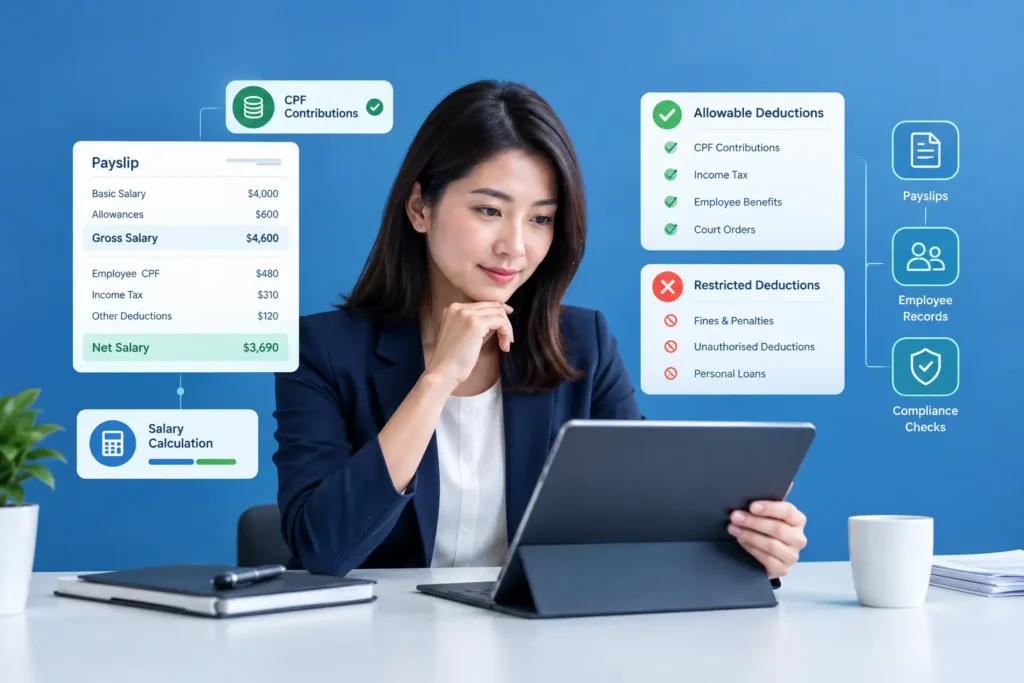
Salary Deductions in Singapore: What Employers Can and Cannot Deduct Payroll mistakes rarely come from complicated calculations. More often, they come from a well-meaning deduction that turns out to be against the rules — recovering a broken laptop in one go, or deducting a full month’s uniform cost from someone’s pay without realising there’s a cap on that. Singapore’s Employment Act sets out exactly which salary deductions employers can make, how much they can deduct, and what steps need to happen first. Get this wrong, even unintentionally, and it can lead to MOM enforcement action, back-payment obligations, and a fair bit of employee mistrust. This guide walks through what’s allowed, what isn’t, and how payroll processes — including payroll software — can help SMEs stay compliant without needing to memorise every clause of the Act. Salary Deductions in Singapore: What Employers Can Deduct Salary deductions are amounts an employer subtracts from an employee’s gross pay before releasing the net salary, and under Singapore’s Employment Act, these can only be made for specific reasons set out in law — such as absence, damage or loss, accommodation, recovery of advances or loans, CPF contributions, or with the employee’s written consent. Employers covered by the Act cannot deduct salary for any reason outside this list, and even permitted deductions are subject to caps and procedural requirements. [MOM – Allowable salary deductions] When Can an Employer Deduct an Employee’s Salary? Under the Employment Act, salary deductions fall into two broad categories: those an employer may be required to make, and those an employer is permitted to make under specific conditions. [Singapore Employment Act 1968 – Sections 26–32] Employers may be required to deduct salary when: Ordered by a court or other authority with the power to make such an order. The employer has been declared an agent for recovering income tax, property tax, or GST payable by the employee. Source: [MOM – Allowable salary deductions] Outside of these mandatory situations, an employer can only deduct salary for the reasons explicitly listed in the Act — not for any deduction the employer personally considers reasonable. This is a common misunderstanding among SMEs: unless a deduction fits one of the recognised categories, it isn’t lawful, even if both parties seem to agree it’s fair at the time. Types of Salary Deductions Allowed in Singapore The Employment Act permits deductions only for the following categories: [MOM – Allowable salary deductions] | [Employment Act 1968] Absence from work. For monthly-rated employees, salary can be deducted for days of unauthorised or authorised absence, calculated based on the applicable formula for incomplete months or unauthorised leave. Damage or loss of money or goods. This covers items like work equipment, tools, or vehicles that the employee is responsible for. Before deducting, the employer must hold an inquiry, give the employee a chance to explain, and cannot deduct more than 25% of one month’s salary as a lump sum. Accommodation that the employee has accepted from the employer. Amenities and services that the Commissioner for Labour has approved and the employee has accepted — for example, childcare or recreational facilities beyond what’s normally required. Employer approval from the Commissioner is required before this deduction can be made, and the deduction cannot exceed 25% of the salary for that period. Recovery of advances, loans, overpaid salary, or unearned employment benefits. Advances and loans must be recovered in instalments not exceeding 25% of salary per period, spread over a reasonable period. Overpaid salary and unearned benefits can be recovered in full. CPF contributions. The employee’s share of CPF must be deducted from the correct month’s salary under the CPF Act. Payments to a registered co-operative society, with the employee’s written consent. Other purposes with written consent, provided the deduction benefits the employee and the employer is in a position to collect the payment on their behalf. Deductions that don’t benefit the employee — such as liquidated damages — cannot be made this way, even with consent. Salary Deductions and Itemised Payslips Under MOM’s itemised payslip requirements, every deduction made from an employee’s salary must be clearly itemised on their payslip — not bundled into a vague “adjustments” line. This means the payslip should show each deduction separately: CPF contributions, any absence-related deduction, loan or advance recovery instalments, and so on, alongside the gross salary and resulting net pay. This isn’t just good practice — it’s a compliance requirement. An itemised payslip that omits or vaguely groups deductions can put an employer in breach of MOM’s payslip rules, separate from whether the underlying deduction itself was lawful. For SMEs, this makes accurate, itemised payroll records essential, not optional. Example of Salary Deductions on a Payslip How Payroll Software Helps Manage Salary Deductions Manually tracking deduction categories, caps, and consent records across a growing headcount is where errors tend to creep in. Payroll software can reduce this risk by applying deduction rules consistently and keeping records organised in one place. Based on verified capabilities, Adaptive Pay’s payroll software auto-calculates salary components — including allowances, deductions, and statutory CPF contributions — based on configured payroll rules, and generates itemised payslips showing detailed breakdowns of earnings, deductions, and contributions as required by MOM. Because the system compiles data from linked modules like leave, attendance, and claims, deductions such as no-pay leave can flow through automatically rather than being calculated by hand each cycle. This kind of automation doesn’t replace the employer’s responsibility to apply the Employment Act correctly — a payroll system still needs accurate rule configuration — but it does reduce the manual re-entry and calculation errors that often lead to compliance issues in the first place. FAQs 1.Is there a maximum amount an employer can deduct from salary in one month?Generally, total authorised deductions cannot exceed 50% of an employee’s salary payable in one salary period. Certain deductions — such as those for absence, or recovery of advances, loans, or overpaid salary — are excluded from this particular cap. Upon termination, the total deduction from


HR Tips

AI-Enabled HRMS in Singapore: How It Transforms HR

AI-Enabled HRMS in Singapore: How AI Is Transforming HR Management An AI-enabled HRMS in Singapore can help SMEs reduce repetitive HR administration, improve access to workforce information, and support employees through self-service tools. Instead of replacing HR judgement, AI-enabled HRMS platforms can handle repetitive, data-heavy tasks so HR teams can spend more time on work that requires human decision-making. Walk into many Singapore SME HR offices five years ago, and you might have found someone manually cross-checking attendance sheets against payroll or searching through email threads to answer a simple leave balance question. Today, automation and AI-assisted HR tools can reduce much of this manual work. This article explains what an AI-enabled HRMS actually means, where AI genuinely adds value versus where it’s just automation with a new label, and what Singapore SMEs should look for before choosing one. What Is an AI-Enabled HRMS in Singapore? An AI-enabled HRMS is a human resource management system that uses artificial intelligence — such as machine learning, natural language processing, or predictive analytics — to interpret HR data and support decisions, rather than simply executing pre-set rules. This is a meaningful distinction from standard HR automation, which follows fixed logic (if X happens, do Y) without adapting or offering insight beyond what was explicitly programmed. It’s worth being precise about the difference: Standard automation calculates CPF contributions using a fixed formula, generates a payslip on a set schedule, or sends a reminder when leave hasn’t been approved after two days. The logic is rule-based and doesn’t change based on patterns in the data. AI capabilities go a step further — surfacing patterns across data, answering natural-language questions, flagging anomalies that don’t fit expected patterns, or generating insights that a rule-based system wouldn’t be programmed to catch on its own. Many platforms marketed as “AI HRMS” blend both — a strong automation backbone with AI layered on top for specific tasks like analytics or employee queries. It’s a useful distinction to keep in mind when evaluating vendor claims, since not every “AI” feature is doing something meaningfully different from well-built automation. How AI Is Changing HR Management The practical shift AI brings to HR management tends to show up in a few concrete ways, rather than a dramatic overhaul of how HR departments function: Turning raw data into readable insight. Instead of an HR manager manually compiling attendance trends across departments, an AI-assisted system can surface patterns — such as which team has the highest overtime — without a manual data pull. Answering routine employee questions instantly. Rather than employees emailing HR to ask about leave balances or payslip details, AI-driven assistants can respond directly, freeing HR staff from repetitive queries. Flagging anomalies for human review. AI can highlight unusual patterns — like a payroll figure that deviates from an employee’s typical pay — so a human can check it before it becomes an error, rather than catching it after the fact. Supporting, not replacing, HR decisions. AI tools generally present information and flag patterns; the actual HR decision, such as approving leave or resolving a compliance question, still needs human judgement, particularly where Singapore employment law is involved. None of this means HR becomes hands-off. It means less time is spent gathering and reconciling data manually, and more time is available for the judgement calls that data alone can’t make. Traditional HR Management vs AI-Enabled HRMS Benefits for Singapore SMEs For SMEs specifically — where HR is often handled by a small team wearing multiple hats — the practical benefits tend to show up as: For Singapore SMEs, an AI-enabled HRMS in Singapore can bring these capabilities together in one connected HR environment, reducing the need to manage attendance, leave, payroll, and employee information across separate processes. Reduced administrative workload. Less time spent manually compiling data across attendance, leave, and payroll systems that don’t talk to each other. Faster HR processes. Approvals, payslip generation, and reporting can happen closer to real time rather than waiting for a manual batch process. Better data visibility. HR and management can see workforce data — headcount, leave trends, payroll costs — without requesting a custom report each time. Reduced manual errors. Automating repetitive calculations (like CPF contributions or overtime pay) reduces the chance of manual re-entry mistakes. Improved employee experience. Employees get faster answers to routine questions and self-service access to their own records, rather than waiting on HR. We haven’t included specific percentage improvements or ROI figures here, since actual results vary significantly by company size, existing processes, and how well the system is implemented. AI and Payroll Automation Payroll is one of the areas where automation delivers the most consistent value, because the calculations themselves are governed by clear rules — CPF rates, overtime formulas, statutory deductions — that don’t require judgement once configured correctly. Automation handles the calculation itself: applying CPF rates based on age and citizenship status, computing overtime at the statutory 1.5x rate, and generating itemised payslips. Where AI can add a further layer is in reviewing the output — for example, flagging a payroll run where an employee’s net pay deviates unexpectedly from their usual pattern, prompting a human check before the payment goes out. This kind of anomaly detection supports payroll accuracy without replacing the need for someone to review and approve the final run. AI and Employee Self-Service Self-service portals let employees handle routine tasks themselves — checking payslips, applying for leave, submitting claims, and viewing their attendance record — through a web portal or mobile app, without needing to go through HR for each request. Where AI can extend this is through conversational interfaces: an employee asking “how many annual leave days do I have left?” and getting an instant answer, rather than emailing HR and waiting for a reply. This reduces the volume of repetitive queries HR fielded before, though it works best for straightforward, data-based questions rather than judgement calls that still need a human — like an unusual leave request or a payroll dispute.

Employee Self-Service
Employment & MOM Guidelines

Employee Self-Service Portal Singapore: A Practical Guide for SMEs

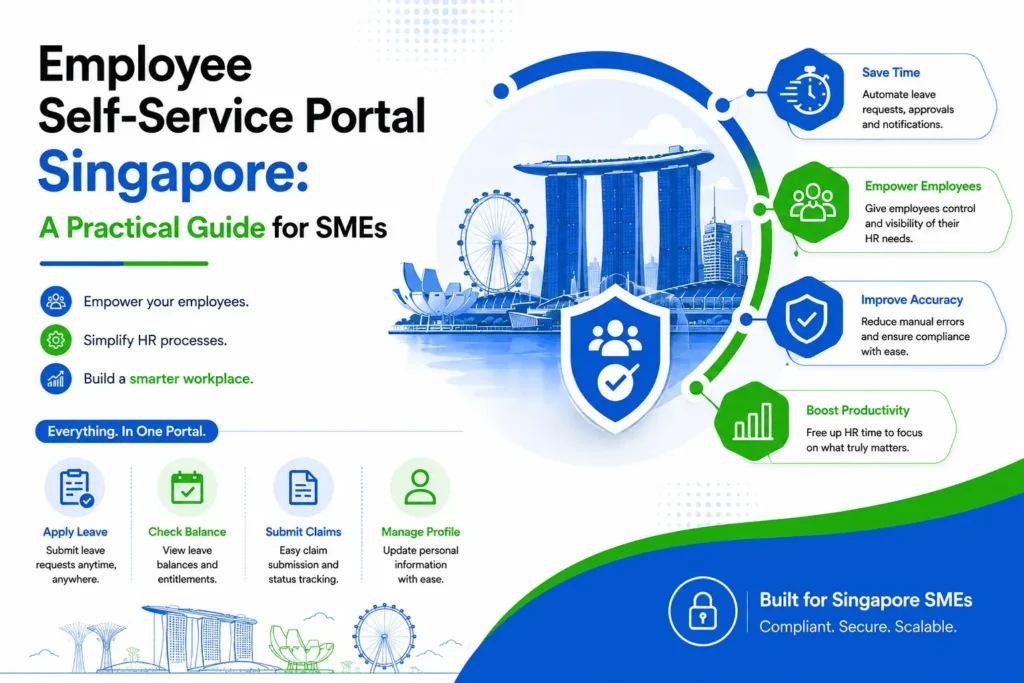
Employee Self-Service Portal Singapore: A Practical Guide for SMEs An employee needs to check their payslip, apply for leave, update their mobile number, or submit a claim for a client dinner. In a lot of Singapore SMEs, each of these still goes through HR individually — an email here, a WhatsApp message there, maybe a printed form for the claim. HR ends up handling the same handful of requests over and over, for every employee, every month. An Employee Self-Service Portal changes that by giving employees a place to handle these routine tasks themselves, without needing HR to step in each time. It sounds like a small shift, but for a growing company, it can free up a surprising amount of HR’s time. This becomes more noticeable as headcount grows. What was manageable for 15 employees becomes a lot more repetitive at 60, and by the time a company reaches 100 or more, HR can spend a good part of the week just answering the same kinds of questions. This article looks at what an ESS portal actually does, how it fits into day-to-day HR work, and what Singapore SMEs should think about before adopting one. What Is an Employee Self-Service Portal? An Employee Self-Service Portal is a system that lets employees access and manage selected HR information and requests on their own, instead of relying on HR for every routine task. It typically covers things like leave applications, payslips, personal information updates and claims, all in one place employees can log into whenever they need to. In practice, this usually includes: Applying for leave and checking leave balances Viewing and downloading payslips Submitting and tracking claims Checking attendance-related information Updating personal details, within whatever limits the company sets Accessing relevant HR documents Checking the status of pending requests Receiving notifications on approvals or updates Employee self-service software isn’t meant to replace HR’s judgment — approvals, policy decisions and sensitive matters still go through a person. What it does is remove the repetitive, low-value parts of the process, so HR isn’t the middleman for every single request. Why Do Singapore SMEs Need an Employee Self-Service Portal? Not every SME runs into the same problems, but a few patterns show up often enough to be worth naming. HR ends up fielding the same repetitive questions — “how many leave days do I have left,” “can you resend my payslip,” “did you get my claim.” Leave requests get handled through email or WhatsApp, which means there’s no single record of who applied for what, or whether it was actually approved. Payslips get generated and then manually sent out one by one each month. Employee information, like a change of address or bank details, gets updated by hand whenever someone remembers to tell HR. Claims often involve a fair amount of back-and-forth just to confirm receipts were received and are being processed. None of this is necessarily a sign that something’s wrong. Plenty of small teams run this way without much friction. But as employee numbers increase, the volume of these requests grows too, and HR starts spending more time on administrative back-and-forth than on the parts of the job that actually need a person’s judgment. How an Employee Self-Service Portal Works The general flow is fairly simple: an employee logs in, views the relevant information, submits a request if needed, the request goes to a manager or HR for review, the system updates the record once it’s processed, and the employee sees the updated status. The details vary depending on what’s being requested. Leave Application An employee logs in, checks their current leave balance, and submits a leave request without needing to email or message HR directly. The request goes to their manager for approval, and once approved, the balance updates automatically. This connects closely with dedicated Leave Management Software Singapore, which handles the approval workflow and balance tracking behind the scenes. Payslip Access Instead of HR generating and individually emailing payslips every month, employees can log in and access their own payslips whenever they need them — useful for things like loan applications or simply keeping personal records. Employee Information Employees can review their own details and, depending on what the company allows, update certain information themselves — like a change of address or emergency contact — rather than sending HR a message and waiting for it to be manually keyed in. Claims Employees can submit expense claims with supporting documents through the portal and track whether they’ve been approved, rejected, or are still pending, instead of having to follow up separately to check. Attendance Where the system supports it, employees can view their own attendance-related information, such as clock-in records, which is useful for spotting and flagging discrepancies early rather than only at payroll time. Employee Self-Service Portal vs Traditional HR Administration Task Traditional HR Administration Employee Self-Service Portal Leave requests Email/WhatsApp, manually logged Submitted and tracked online Payslips Sent individually by HR Accessed directly by employees Employee information Updated manually by HR Updated by employees, within set limits Claims Back-and-forth via email Submitted and tracked in-system Request tracking Often unclear or informal Visible status at each stage HR workload Higher, more repetitive Lower for routine tasks Employee access Depends on HR availability Available anytime Is an Employee Self-Service Portal Suitable for Small Businesses? Company size alone isn’t really the deciding factor. A five-person team with straightforward leave policies and simple payroll may not feel much pain from manual processes yet. What matters more is the actual HR workload — how many employees there are, how often leave requests and claims come in, how complex payroll and leave policies are, what employees have come to expect from previous employers, and whether the company is planning to grow. For example, a 15-person design studio with one leave policy and monthly claims might genuinely be fine with a shared spreadsheet for now. A 15-person logistics company running multiple shifts, several leave types, and frequent claims might already be finding manual processes

HR Tips, HRMS & Technology, People Management

Overtime Pay in Singapore: MOM Rules & Calculation Guide

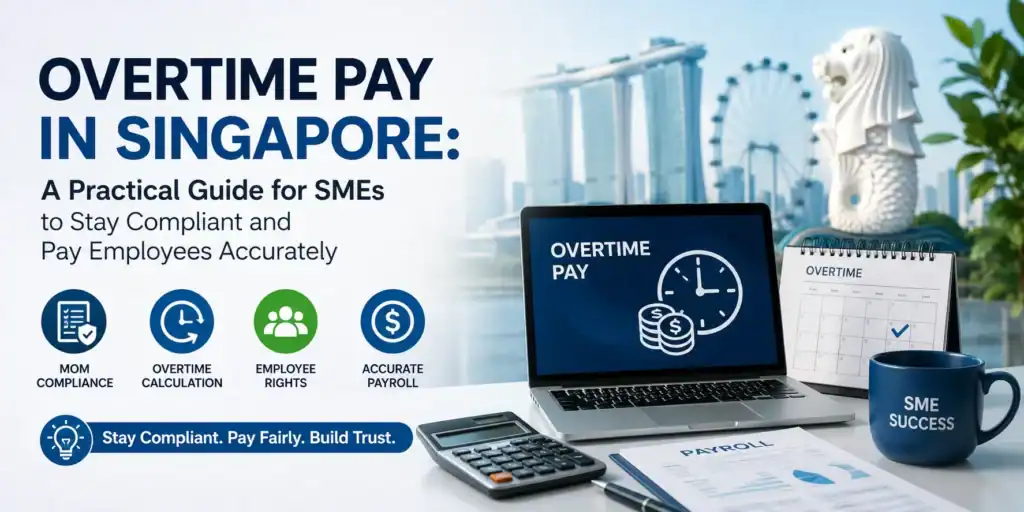
Overtime Pay in Singapore: A Practical Guide for SMEs (2026) Getting overtime right is one of the trickiest parts of payroll for SMEs in Singapore — get it wrong, and you’re looking at disputes with employees, compliance risks with Ministry of Manpower, and sometimes penalties that could’ve easily been avoided. Once you understand what Ministry of Manpower actually requires, though, it’s a lot more straightforward than it seems, and it goes a long way in keeping your team paid fairly and your payroll running smoothly. This guide breaks down Singapore’s overtime rules in plain language, walks through real examples, and shows how SMEs can make the whole process simpler to manage. What Is Overtime Pay in Singapore? Ministry of Manpower (MOM) defines overtime as any work an employee does beyond their normal contractual working hours — meal breaks and rest breaks don’t count toward this. Whether an employee is entitled to overtime pay depends on whether they’re covered under Part IV of the Employment Act. For employees who are covered, employers are required to pay at least 1.5 times the employee’s hourly basic rate for every hour of overtime worked. This payment can’t be delayed — it needs to reach the employee within 14 days of the end of the salary period it relates to. Who Is Eligible for Overtime Pay? Not every employee in Singapore qualifies for statutory overtime.Employees covered under Part IV of the Employment Act include: Non-workmen earning a monthly basic salary of $2,600 or less Workmen earning a monthly basic salary of $4,500 or less Managers and executives are generally not covered under Part IV of the Employment Act. Example: Administrative Executive Sarah works as an administrative assistant and earns a monthly basic salary of $2,400.Eligible for overtime pay because her salary falls within the non-workman threshold.Example: Operations ManagerJames earns $4,800 monthly and performs managerial duties.Generally not eligible for statutory overtime under Part IV. His employment terms will be governed by his employment contract.  What Are the Normal Working Hours? MOM specifies that contractual working hours generally cannot exceed: Work Schedule Maximum Contractual Hours 5 days or fewer per week Up to 9 hours per day or 44 hours per week More than 5 days per week Up to 8 hours per day or 44 hours per week For alternative work arrangements, different averaging rules may apply.Example: When Does Overtime Start?ScenarioAn employee works: 8 hours per day, Monday to Friday,Total contractual hours: 40 per week, One day, the employee works until 8 PM instead of 6 PM.ResultNormal hours: 8, Additional hours worked: 2, Overtime claimable: 2 hours, Since the employee worked beyond contractual hours, the additional 2 hours are considered overtime. How Is Overtime Pay Calculated? MOM Overtime Formula Overtime Pay = Hourly Basic Rate of Pay × 1.5 × Overtime Hours Worked For monthly-rated employees, the hourly basic rate is calculated using: Hourly Basic Rate = (12 × Monthly Basic Salary) ÷ (52 × 44) Example: Overtime Pay Calculation Employee Details Monthly Basic Salary: S$2,400 Overtime Hours Worked: 10 hours Step 1: Calculate the Hourly Basic Rate Formula: Hourly Basic Rate = (12 × Monthly Basic Salary) ÷ (52 × 44) Calculation: = (12 × S$2,400) ÷ (52 × 44) = S$12.59 per hour Step 2: Calculate the Overtime Pay Formula: Overtime Pay = Hourly Basic Rate × 1.5 × Overtime Hours Worked Calculation: = S$12.59 × 1.5 × 10 = S$188.85 Result Monthly Basic Salary: S$2,400 Overtime Hours Worked: 10 hours Hourly Basic Rate: S$12.59 Total Overtime Pay: S$188.85 The employee should receive S$188.85 in overtime pay for 10 hours of overtime work, based on the Ministry of Manpower (MOM) overtime calculation formula. Note: Overtime pay is calculated using the employee’s basic salary only. Allowances, bonuses, commissions, incentives, and other variable payments are generally not included when calculating the hourly basic rate. Getting overtime right is one of the trickiest parts of payroll for SMEs in Singapore — get it wrong, and you’re looking at disputes with employees, compliance risks with Ministry of Manpower, and sometimes penalties that could’ve easily been avoided. Once you understand what Ministry of Manpower actually requires, though, it’s a lot more straightforward than it seems, and it goes a long way in keeping your team paid fairly and your payroll running smoothly. This guide breaks down Singapore’s overtime rules in plain language, walks through real examples, and shows how SMEs can make the whole process simpler to manage. Overtime Rate Cap Employers Should Know For eligible non-workmen, overtime calculations are capped at a salary level of $2,600, equivalent to an hourly overtime calculation cap of $13.60 per hour.ExampleAn employee earns $2,600 monthly and works 2 overtime hours.Calculation:1 $13.60 × 1.5 × 22 = $40.80This is the example provided by MOM.  Maximum Overtime Hours Allowed Employers should monitor overtime carefully.MOM limits eligible employees to: Maximum 72 overtime hours per month Employers requiring additional overtime must apply for an exemption. Example: Retail SME During Peak SeasonA retail business experiences high sales during year-end promotions. Employee OT accumulated: 68 hours Additional OT requested: 10 hours Without an approved exemption, the employer risks exceeding the statutory monthly OT limit. SMEs should monitor overtime proactively to avoid compliance issues. Maximum Daily Working Hours Employees generally cannot work more than 12 hours per day. Exceptions may apply for emergencies, urgent machinery repairs, national security requirements, unforeseen interruptions, or approved overtime exemptions. Example: Manufacturing BreakdownA production machine unexpectedly fails and urgent repair work is needed to fulfil customer orders.The employer may require employees to work beyond normal hours due to unforeseen operational interruptions, subject to MOM requirements. Understanding Rest Day Rules Employers must provide: One rest day every week A full day from midnight to midnight Maximum gap of 12 days between rest days Shift workers may have a continuous 30-hour rest period instead. How Is Pay Calculated for Work on a Rest Day? MOM differentiates between:Work requested by the employer, Work requested by the employeeHours worked beyond normal daily working hours. Example: Employer Requests Work on a Rest DayEmployee’s normal workday: 8 hours Employee

2026 Guide to Singapore Work Permit Online: Rules & Levy
Employment & MOM Guidelines

2026 Guide to Singapore Work Permit Online: Rules & Levy

In 2026, new rules around Work Permit eligibility and levies will make compliance much tougher. Employers — especially in sectors like construction and manufacturing — need to plan more carefully. If you’re not using HR software in Singapore to stay on top of these changes, you risk falling behind or making decisions too slowly to keep up with new requirements. Work Permit rules are now changing more frequently than they used to. Each new hire or renewal has to meet current MOM rules. If you’re not keeping a close eye on quotas or checking that each worker meets updated salary and levy rules, you risk breaching MOM compliance. The guide will walk you through recent changes and show you how HR software in Singapore can help you manage compliance more easily. What are the changes in the work permit? Based on recent updates from MOM and MTI, employers should prepare for four main changes affecting Work Permit approvals and renewals: Tighter Dependency Ratio Ceilings (DRC) in selected sectors Higher levies for lower-skilled workers Stronger emphasis on digital compliance and traceable HR records Narrower eligibility for source countries and job scopes Now is a good time to adjust your hiring decisions and adopt better workforce planning practices. You can also start using all-in-one HR software in Singapore so you can track everything in one place. What are the latest criteria for work permit eligibility? The core WP requirements remain in place, including approved source countries and age limits. But in sectors like services and manufacturing, the eligibility rules have become more specific, so it’s important to pay closer attention to sector-based restrictions and quota conditions if you are in these industries. Here is a consolidated view of key 2026 eligibility conditions based on MOM guidance: Approved source countries You can only hire Work Permit holders from MOM-approved source countries, and the list depends on your sector. Since these lists can change, it’s important to check the latest version before making an offer. Age requirements Workers must be at least 18 to qualify. For non-Malaysians, the maximum age is usually 50. Malaysians can be hired or renewed up to age 58, depending on the sector you’re in. Medical requirements You, as an employer, must ensure that all Work Permit holders undergo a pre-employment medical examination. You’ll also need to make sure that your workers go for their six-monthly medical exams (6ME) and stay covered under valid medical insurance throughout their employment. Security bond If you’re hiring non-Malaysian Work Permit holders, you’ll usually need to post a $5,000 security bond per worker. Some employers may qualify for an insurance guarantee instead—check MOM’s conditions to see if you’re eligible. Quota and levy compliance Every Work Permit is tied to a quota and a monthly levy. These limits vary by sector, so you’ll need to track them carefully. If you go over your quota or miss levy payments, you risk fines—or having future applications rejected. How can Adaptive Pay support work permit compliance? Staying compliant in 2026 requires real-time HR software in Singapore that can help your business keep pace with policy changes. Adaptive Pay helps you manage Work Permit obligations through automated calculations and audit-ready logs. With a unified system, our platform gives you more visibility into quota limits and levy tiers while keeping all the required documentation in order. This reduces your reliance on manual tracking and keeps you compliant, even as regulations tighten. Request a demo of our HR software in Singapore today to see how it can help your organisation stay Work Permit–compliant with greater confidence.

Retirement Age in Singapore 2026: MOM and CPF Guide
Employment & MOM Guidelines

Singapore Retirement Age 2026: MOM Guide & CPF Updates

Singapore’s retirement age is rising to 64 — and re-employment age to 69 — starting July of next year. You will need a comprehensive HR software in Singapore that lets you track eligibility and manage transitions properly. Key Takeaways • Singapore’s statutory retirement age will increase from 63 to 64 on 1 July 2026, while the re-employment age will rise from 68 to 69.• Employers must understand the difference between retirement and re-employment obligations under MOM.• CPF contribution rates continue to be determined by an employee’s age, not the statutory retirement age.• HR and payroll systems should be updated to reflect the latest MOM and CPF changes for compliant workforce management. Why is Singapore increasing its retirement age? Singapore is progressively raising both the retirement age and re-employment age to support longer life expectancies. Here’s are the changes you need to note: Date Retirement age Re-employment age Current (since July 2022) 63 68 Starting 1 July 2026 64 (born on or after 1 July 1963) 69 (born after 1 July 1958) By 2030 65 70 These adjustments help your organisation keep experienced employees longer and improve financial stability for seniors. Using HR software in Singapore will make it easier to ensure fair pay and compensation for everyone. Retirement and re-employment framework from MOM To comply with MOM guidelines, your HR teams must understand how retirement age differs from the re-employment age, and how each affects workforce management. The retirement age is the earliest point at which you may end employment based solely on age. You’re not allowed to dismiss an employee for age-related reasons before they reach this statutory minimum. Meanwhile, the re-employment age sets the upper limit for how long eligible employees can continue working if they wish to do so. Employers must offer re-employment to those who meet MOM’s criteria — including satisfactory performance, medical fitness, and at least three years of service — allowing them to stay on beyond the retirement age, up to the re-employment ceiling. Senior Employment Credit (SEC) Through the Senior Employment Credit, you can get support that offsets wages when you hire or retain older Singaporean workers. The support is greater when your employees are in older age groups, allowing your business to adapt to the rising retirement and re-employment ages. SEC eligibility You may qualify for SEC payouts (for wages from 2023 to 2026) if you hire: Singapore Citizens aged 60 and above Employees for whom mandatory CPF contributions are made on time Employees earning below S$4,000 per month For wages paid between 1 January 2024 and 31 December 2026, you can receive up to 7% wage offsets depending on the employee’s age and salary. The 2025 Budget extends SEC support into 2026, and you’ll need to adjust your payroll settings accordingly. Employees turning 69 in 2026 now qualify for the highest support tier (up from 68 last year). Does retirement age affect CPF contributions? CPF contribution rates are based on age bands and not the statutory retirement age. However, you need to consider both when managing older employees. If someone remains employed past the retirement age, you must apply the CPF rate that matches their age group — including reduced rates for employees above 55, 60, 65, and 70 — to remain compliant. What happens to CPF at age 55? Turning 55 is a key milestone for CPF members. At this point, CPF restructures savings to prepare for retirement and opens up limited withdrawal options. Once your employee turns 55, CPF automatically sets up a Retirement Account (RA) and begins moving savings into it. Funds from the Special Account (SA) and/or Ordinary Account (OA) are transferred into the RA, up to the Full Retirement Sum (FRS). The RA earns the same long-term interest rate that previously applied to the SA. Employees can start withdrawing some of their CPF savings from age 55, depending on how much savings they’ve built up. Between ages 55 and 65, any new CPF contributions go into the RA until the FRS is fully met. After that, contributions are directed to the OA, which the employee can access for withdrawals. If FRS is not met, employees may still withdraw up to S$5,000 from their OA. Any remaining balance stays in the RA to support retirement payouts. The Enhanced Retirement Sum has been raised to twice the FRS in January 2025. Employees aged 55 and above can now top up more voluntarily to increase future payouts. CPF contribution rate changes after 55 Once employees turn 55, CPF contribution rates are gradually reduced. Contributions are split between the RA, MediSave Account (MA), and OA according to CPF’s age-based tiering system. Accurate tracking is essential to avoid underpayment or compliance errors. Streamline retirement management in your organisation Rising retirement and re-employment ages combined with regular CPF updates can place a significant compliance load on your HR teams. Adaptive Pay helps reduce this burden by providing a reliable HR software solution for your Singapore business. Our all-in-one cloud HRMS is continuously updated to reflect MOM and CPF changes, making payroll management for senior employees more accurate and stress-free. Frequently Asked Questions 1. What is Singapore’s retirement age in 2026? From 1 July 2026, the statutory retirement age will increase to 64, while the re-employment age will increase to 69, in line with the Government’s planned schedule. 2. What is the difference between retirement age and re-employment age? The retirement age is the earliest age at which an employer may retire an employee based on age. The re-employment age is the age until which eligible employees must be offered re-employment if they satisfy the relevant criteria. 3. Does the retirement age affect CPF contribution rates? No. CPF contribution rates are determined by an employee’s age band, not by the statutory retirement age. Employers should apply the correct CPF rates based on the employee’s age. 4. Can an employee continue working after reaching retirement age? Yes. Eligible employees who meet the relevant criteria may continue working through re-employment arrangements until the statutory

5 Tips to Improve HR Productivity with Cloud Payroll Software
HR Tips

5 Tips to Improve HR Productivity

One of the common challenges HR teams face in Singapore is maintaining productivity, especially when routine tasks like payroll, leave and claims management rely on outdated manual processes. These inefficiencies slow things down and can also lead to costly mistakes. That’s why more human resources departments are turning to cloud payroll software in Singapore. These solutions automate routine tasks and centralise data to streamline HR workflows and improve overall efficiency. In this blog, we’ll break down how HR technology — particularly integrated systems like HRMS with built-in payroll — can make your HR department much more productive. Automate routine tasks Aside from being time-consuming and inefficient, manually managing routine HR tasks also increases the risk of errors, which may lead to even bigger problems like compliance issues and employee dissatisfaction. Cloud payroll software in Singapore automates key calculations using data from areas like claims and attendance to keep processes running smoothly. It also supports automatic updates for SDL, CPF, and FUND contributions to keep your payroll aligned with the latest policies and tax requirements. Use data-driven insights for decision-making Data analytics helps you spot outdated skills or capability gaps within your team. An HRMS like Adaptive Pay includes an appraisal module that tracks employee performance and highlights areas for improvement to identify where training or upskilling is needed. You can easily create questionnaires and self-assessment forms that employees can then complete via web or mobile, encouraging regular feedback and open communication between managers and staff. This also makes it easier for managers to monitor progress. What’s more, Adaptive Pay includes a leave management module that generates instant reports to give managers a clear view of team availability. This helps prevent short staffing and supports your resource planning efforts. You can also generate critical reports such as KET documents, manpower statistics, and employee turnover with just one click. These reports give you the data you need to make better HR decisions — all from one centralised system. Empower employees with self-service tools Do your employees still have to physically visit or call your HR department to follow up on leave applications? An all-in-one cloud payroll software in Singapore like Adaptive Pay can save them time and effort. Our HRMS lets employees apply for leaves remotely and upload supporting documents using the app, as well as check the manager’s decision to find out if their request was approved or rejected. Managers can also approve and manage leaves remotely. Stay compliant with regular updates Using an IRAS-listed cloud payroll software in Singapore helps your HR team work more efficiently because it simplifies the calculation of salaries, deductions, allowances, and claims. It also keeps your business up to date with changing tax rules and rates, as well as formats. A solution like Adaptive Pay streamlines the AIS submission process, too — you can submit directly to IRAS with just one click.  Use cloud-based solutions for flexibility Be sure to choose cloud payroll software in Singapore that brings all essential HR functions into one platform. With Adaptive Pay, your business gets a complete HRMS that simplifies operations and improves productivity. It’s offered at a fixed price and includes a mobile app, so employees and managers can access payroll, attendance, leave requests, and claims anytime—  even when working remotely. Try Adaptive Pay! You don’t need to buy software for each human resource process when you choose Adaptive Pay. We offer a comprehensive solution for tackling key processes like payroll, attendance, rostering, claims management, and more. Request a demo here and discover why Adaptive Pay is among the best all-in-one cloud payroll software solutions in Singapore. Our platform comes at a fixed subscription fee and is backed by a reliable support team. Plus, it’s a highly customisable HRMS that aligns with your business processes.

Employment & MOM Guidelines

An Overview of Singapore’s Flexible Work Arrangements (FWA) Guidelines

Did you know that 80% of workers globally want to work at home or remotely at least 3 times a week? To cater to this trend, the TG-FWAR has established guidelines on (1) how employees should request and (2) how employers should manage FWA. Singapore-registered companies with at least 30% local ownership can also apply for the PSG to fund FWA tools — such as remote collaboration software, video conferencing platforms, and project management tools — as long as those tools are used within Singapore. If you haven’t adopted flexible work arrangements yet, now is a good time to do so. Here at Adaptive Pay, we offer an all-in-one cloud HRMS in Singapore to support your transition to a flexible work setup. Our platform is meticulously updated and managed to help you fulfil local labour laws such as the Employment Act and tripartite guidelines. Read on as we share an overview of these guidelines and how our HRMS solution can help your organisation comply. Understanding flexible work arrangements FWAs are based on mutual agreements between you and your employees to deviate from standard work arrangements. This could mean allowing employees to work from home or any location outside the traditional office as long as they meet their responsibilities. FWA can also include adjustments to work hours or workloads to accommodate individual employee preferences and needs. The importance of FWA Technological advancements and an evolving society are changing how we work, resulting in FWA becoming a strategic way to attract top talent, foster employee satisfaction, and enhance your company’s agility. Essentially, it encourages a more adaptable and inclusive work environment. On April 16, 2024, the Tripartite Alliance for Fair and Progressive Employment Practices (TAFEP) issued and announced the latest Tripartite Guidelines on FWA Requests. These guidelines became effective on December 1, 2024, and mandated the minimum requirements for Singapore employers to consider formal requests from employees regarding FWA. Adaptive Pay HRMS in Singapore can help your organisation adopt flexible work arrangements and comply with the TAFEP. Types of FWA Flexible work arrangements in Singapore fall into one or more of these categories. Flexi-place allows employees to work flexibly from different locations besides the usual office, as in the case of working from home or telecommuting. Flexi-time lets employees adjust their work schedules, choosing when they start and finish work, as long as they complete their required total hours and workload. Flexi-load (often used for part-time work or job-sharing arrangements) lets employees choose their work hours and workload, with corresponding adjustments to their pay. Which flexible work arrangements are you adopting? Regardless of your choices, make sure you have a reliable HRMS in Singapore to keep track of payroll, claims, attendance, and more, even when your employees are not in the office. Who qualifies for FWA? The new guidelines state that all organisations and non-probation employees are eligible to request flexible work arrangements. This shows Singapore’s inclusive approach and commitment to empowering workers and honing an innovative and flexible workplace culture. Recommendations for Tripartite Guidelines on FWA Requests Singapore’s government approved several recommendations from the Tripartite Workgroup to establish sufficient expectations and norms on flexible work arrangements. These guidelines also outline the process for requesting FWAs and how supervisors and employers can manage requests. Here are some of the key recommendations: Establish clear workplace norms for FWA requests and approvals to manage expectations for everyone involved. Use the Tripartite Guidelines on Flexible Work Arrangement Requests (TG-FWAR) as the primary resource for handling FWA requests. Consider FWA requests based on legitimate business reasons while also encouraging employees to use FWAs responsibly. Formalise the FWA request process by using the TG-FWAR and documenting all relevant information for informed decision-making. The TG-FWAR guidelines apply to all employees who have completed their probation period. While job seekers aren’t required to request FWAs during the hiring process, employers are encouraged to share their FWA policies in job interviews and advertisements. Ensure your organisation’s FWA policies are inclusive and accessible to all employees. Provide employees with training and resources on how to effectively request and utilise FWAs. Considerations when implementing FWA How will you handle benefits and salaries when employees’ responsibilities or workloads change under an FWA? Prorated compensation may be necessary. Traditional performance reviews may need to be adapted for remote or flexible work. Consider implementing online performance evaluation and appraisal systems. Clear KPIs and expectations are essential for successful FWAs. Determine how you’ll measure performance and what criteria employees must meet to be eligible for and maintain their FWA. Ensure smoother FWA adoption with Adaptive Pay Let Adaptive Pay take the guesswork out of implementing flexible work arrangements. Learn more about our HRMS in Singapore by requesting a demo here.