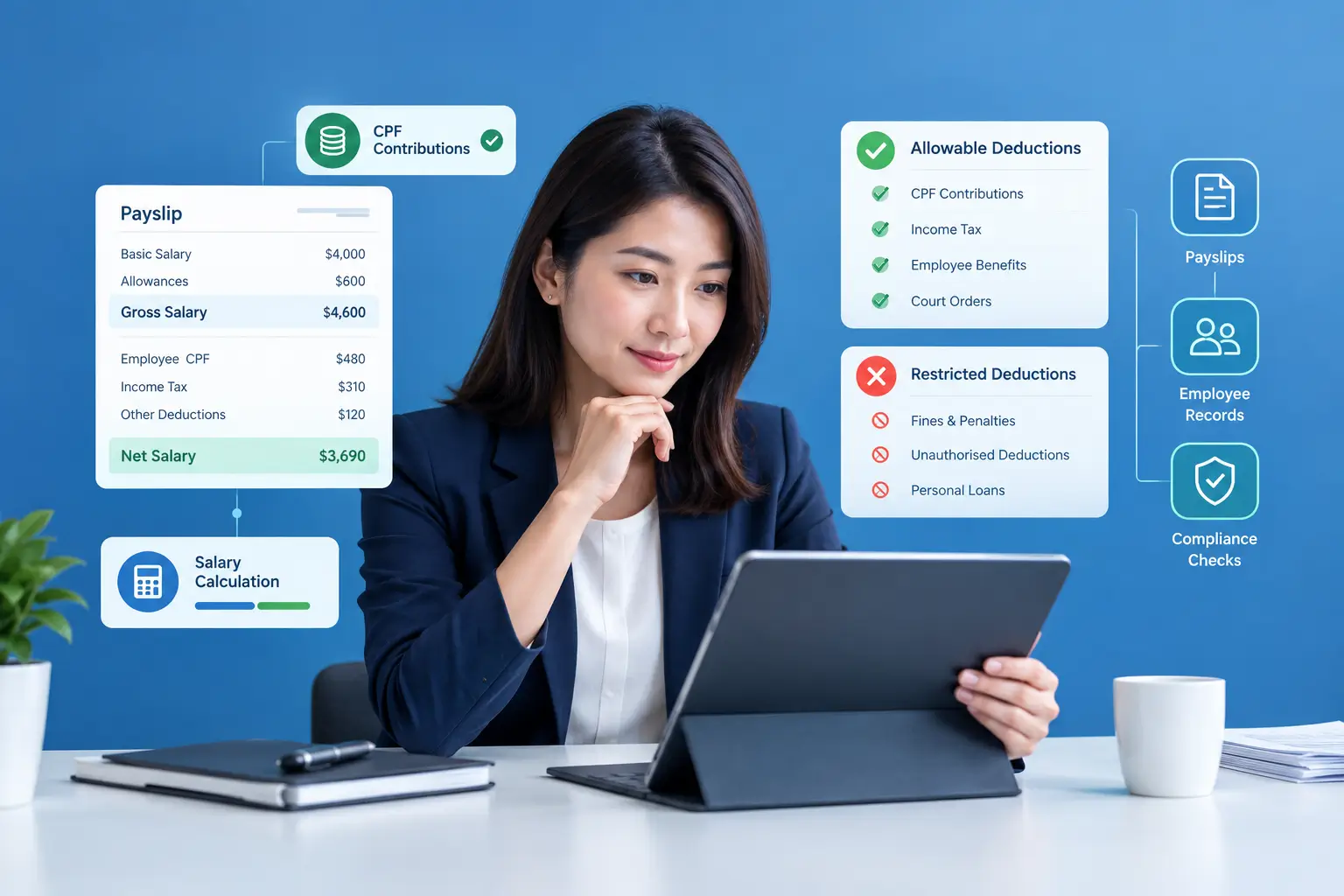
This guide explains where the workload really comes from, which tasks an AI HR assistant can reliably reduce, and how to roll one out in a way that improves employee experience (not frustrates it).
What an AI HR assistant actually does (in plain English)
An AI HR assistant is a conversational helper—often embedded in your HRMS—that can respond to common employee and manager requests, guide users through workflows, and surface HR information faster. In practice, it works best when paired with a centralized HR platform that already contains employee records, attendance, leave, claims, and policy documents.
For example, AdaptivePay positions its platform as an all-in-one HRMS that centralizes HR processes and includes an AI assistant (IVY) alongside modules like payroll, leave, attendance, claims, and employee self-service. Learn more about AdaptivePay’s HRMS and IVY AI assistant.
Where HR time goes every day (and why it feels endless)
Most HR workload isn’t “big projects.” It’s the constant drip of micro-tasks—small interruptions that create context switching and stop real work from getting finished.
- Repeating the same answers (leave rules, claims limits, probation policies)
- Chasing approvals (managers forgetting to approve leave/claims)
- Finding information (employee records, past submissions, attendance exceptions)
- Manual data movement (copying between forms, spreadsheets, emails, and systems)
- Onboarding admin (documents, checklists, and “Where do I upload X?” questions)
An AI HR assistant reduces workload most effectively when it targets high-frequency, low-complexity tasks—then gradually expands into more advanced support as your HR data becomes cleaner and more structured.
7 everyday ways an AI HR assistant reduces HR workload
1) Handles “instant answer” questions without opening tickets
Many HR inbox messages are predictable. Employees want fast answers: “How many leave days do I have left?” “What’s the claims policy?” “Where’s the form?” An AI HR assistant can respond immediately—especially when policies and FAQs are stored in a consistent location.
That’s why pairing AI with a structured HR knowledge base (policies, SOPs, claim categories, and leave rules) pays off: the assistant can give consistent answers and reduce back-and-forth clarification.
2) Guides employees through self-service so HR isn’t the middleman
Employee self-service reduces workload only when employees actually use it. An AI HR assistant improves adoption by giving step-by-step guidance in the moment: how to submit a claim, how to attach supporting files, how to apply for leave, how to check approval status.
When self-service is part of your HRMS design, you remove the “HR as a helpdesk” bottleneck. AdaptivePay describes its system as combining core HR functions with employee self-service to reduce manual work across payroll, leave, attendance, and claims. Explore the modules inside AdaptivePay’s all-in-one HR platform.
3) Reduces onboarding “chasing” with checklists and automated prompts
Onboarding creates repetitive admin: collecting documents, confirming submissions, issuing tasks, and answering new-hire questions. An AI HR assistant can nudge the process along by reminding new hires what’s incomplete, pointing them to the correct upload location, and summarizing what HR is still waiting on.
Even without full automation, simple AI-driven prompts can cut down the number of follow-ups HR must send—especially in the first week when new hires ask many similar questions.
4) Speeds up manager actions (approvals, exceptions, and quick checks)
Managers often delay HR workflows simply because they’re busy or unsure. An AI HR assistant can help managers quickly:
- Check who’s on leave this week
- Review outstanding approvals
- Understand a policy rule before approving
- Find an employee’s recent attendance/shift context (where permitted)
When managers act faster, HR stops being the reminder system—and your end-to-end cycle times shrink.
5) Cuts time spent searching for employee information
HR teams lose hours to “Where is that record?” AI can reduce the search burden by helping users retrieve what they need from a centralized platform: employee profile details, historical leave, claims submissions, or attendance logs.
The key is having a single source of truth—otherwise AI is just searching chaos faster.
6) Standardizes answers to policy questions (and reduces inconsistency risk)
Without standardization, two HR team members can answer the same question differently—creating confusion, fairness issues, and avoidable escalations. An AI HR assistant can deliver consistent, policy-aligned replies when you’ve approved the knowledge sources it draws from (handbook, policy pages, internal SOPs).
Practical tip: Start with a small set of “approved answers” for your top 20 recurring questions, then expand monthly.
7) Produces quick summaries for HR follow-up (instead of re-reading threads)
HR cases often come with long email threads or chat histories. An AI HR assistant can summarize what happened, list what’s missing, and suggest next steps—so HR can respond faster and more confidently.
This is especially helpful for recurring issues like missing documents, claim rejections due to incomplete attachments, or repeated policy clarifications.
Long-tail use cases people actually search for
If you’re evaluating an AI HR assistant, these are common “day-to-day relief” scenarios that signal real ROI:
- AI HR assistant for employee self-service (leave, claims, status checks)
- AI HR assistant for onboarding questions (documents, checklists, timelines)
- AI HR assistant for HR policy FAQs (consistent answers at scale)
- AI HR assistant for managers (approvals, team availability, quick context)
- AI HR assistant to reduce HR email volume (deflect repetitive tickets)
How to implement an AI HR assistant without creating new problems
Start with “safe” workflows first
Begin with low-risk areas: FAQs, how-to guidance, and status checks. Avoid sensitive case handling (disciplinary, medical, grievances) until you’ve defined governance, permissions, and escalation paths.
Define what the assistant is allowed to answer
Create an approved content set: policy pages, handbook extracts, HRMS help articles, and standard operating procedures. The assistant should reference only what you’ve blessed as the source of truth.
Build clear escalation paths to a human
The best AI HR assistant isn’t one that “never escalates.” It’s one that escalates quickly when:
- The employee asks about an exception or special approval
- A request involves private or sensitive context
- The system lacks enough data to answer confidently
Measure impact with a few simple metrics
- Ticket deflection rate: % of questions resolved without HR intervention
- Median time-to-answer: how quickly employees get an answer
- HR inbox volume: weekly trend after rollout
- Self-service completion rate: fewer incomplete submissions
Choosing the right platform matters more than the AI label
An AI HR assistant performs best when it sits on top of clean, centralized HR data—employee records, leave, attendance, claims, and workflows. If your tools are fragmented, the assistant will spend most of its time dealing with missing context.
If you’re comparing options, look for an HRMS that combines the day-to-day modules your HR team lives in, plus support and onboarding. AdaptivePay’s FAQ outlines implementation support and HRMS capabilities that can help teams standardize workflows before layering in AI. See AdaptivePay’s HR & payroll software FAQ.
FAQ: AI HR assistant adoption (quick answers)
Will an AI HR assistant replace HR staff?
No. In most workplaces, it shifts HR time away from repetitive admin and toward higher-value work like coaching leaders, improving policies, workforce planning, and employee relations.
What’s the fastest win after implementation?
Deflecting repetitive “how do I” and “what is my status” questions—especially for leave and claims—usually shows immediate impact.
What’s the biggest rollout mistake?
Letting AI answer from unapproved or outdated policy content. Start with a controlled knowledge set, then expand as governance improves.
Conclusion
An AI HR assistant reduces everyday HR workload by doing three things consistently well: answering repeat questions fast, guiding employees through self-service, and accelerating routine workflows like onboarding and approvals. If you pair AI with a centralized HRMS and clear governance, the time savings are real—and HR gets to spend more time on people, not paperwork.
If you want to see what an integrated HRMS plus AI can look like in practice, start with the product overview at AdaptivePay and map the modules to your highest-volume HR pain points.